
Best Badge Printers for Conferences and Events: Complete Buyer’s Guide
The best badge printer is the one that matches your physical badge, production deadline and event-day workflow. For economical advance printing, use a colour laser printer. For fast monochrome issue at check-in, use a direct-thermal printer. For variable full-colour badges, consider a dedicated colour label printer.
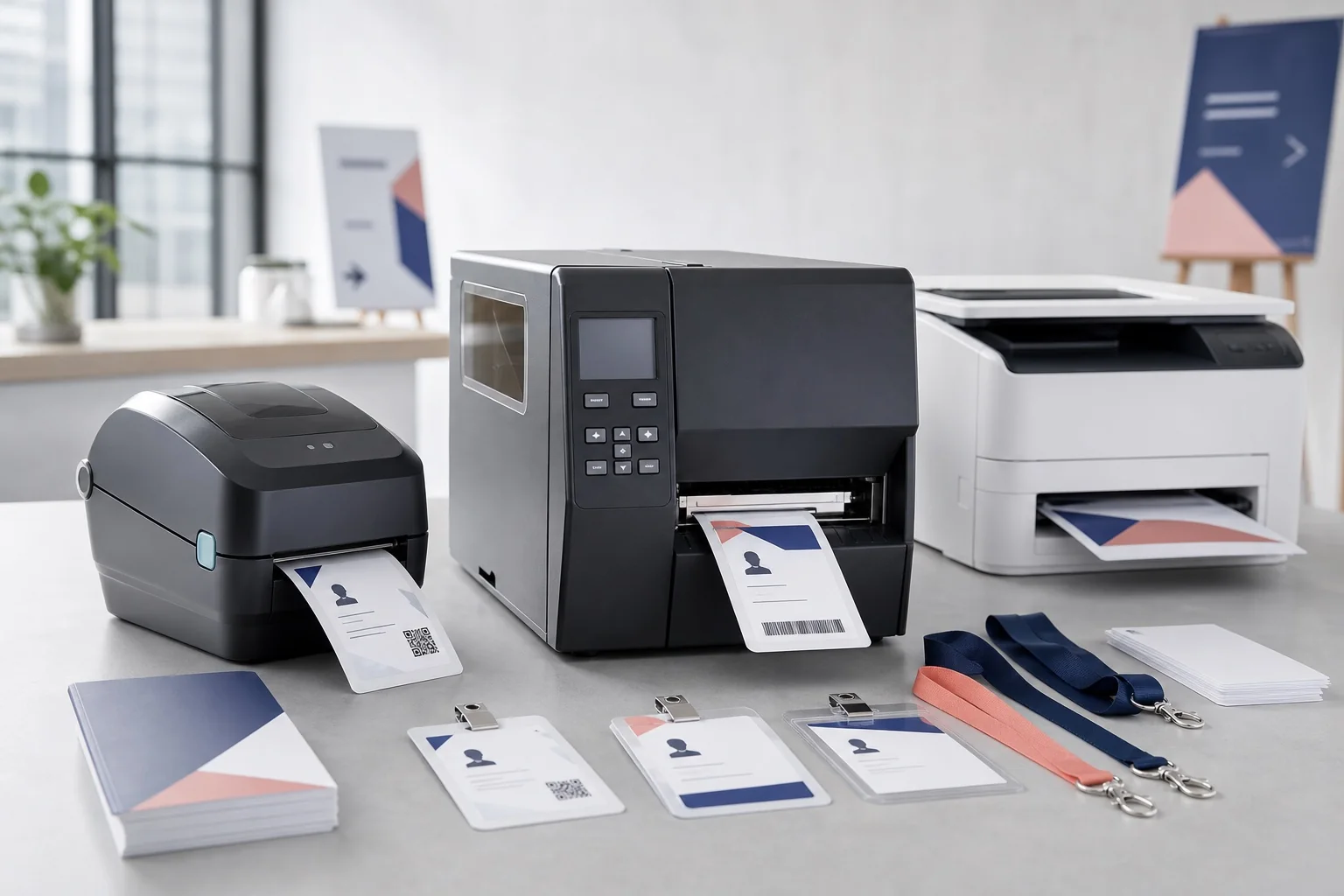
- Best for pre-printed conference inserts: a reliable colour laser printer using tested A4 or Letter stock.
- Best compact visitor-badge class: Brother QL or DYMO LabelWriter.
- Best four-inch monochrome event class: Zebra ZD421 or ZD621.
- Best full-colour roll-fed class: Epson ColorWorks C4000/C6000/C6500.
- Best for durable plastic identity cards: a dedicated card printer from a specialist such as Evolis or Magicard.
Printer selection should start with the badge, not the hardware catalogue. Confirm the finished dimensions using the conference badge size guide, then check the actual insert and visible-window measurements in the badge holder size guide. A printer advertised as “four inch” may still have a printable width that is slightly narrower than the physical stock.
Badge printer recommendations at a glance
| Printer or category | Technology | Practical badge role | Colour | Best use | Main limitation |
|---|---|---|---|---|---|
| Office colour laser | Toner on A4/Letter sheets | Several inserts per page | Full colour | Pre-printing 50–2,000+ paper inserts | Less convenient for one-at-a-time issue |
| Brother QL-820NWBc | Direct thermal, up to about 61 mm print width | Compact labels and visitor badges | Black; selected two-colour roll capability | Meetups, visitors, corrections | Too narrow for many conference-pass formats |
| Brother QL-1110NWBc | Wide direct thermal, about 101.6 mm print width | Wider labels and passes | Monochrome | Small/medium onsite wide-label workflows | Still requires compatible roll stock and tested PDF sizing |
| DYMO LabelWriter 550/550 Turbo | Direct thermal | 41 × 89 mm name-badge labels | Monochrome | Visitors and short events | Current generation depends on compatible DYMO labels |
| DYMO LabelWriter 5XL | Wide direct thermal for 4 × 6 shipping labels | Potential wide-format badge stock | Monochrome | Simple large labels where stock fits | Designed primarily around shipping-label workflows |
| Zebra ZD421 | Direct thermal or thermal transfer; about 104 mm print width at 203 dpi | Four-inch event media | Monochrome/ribbon colour | Professional onsite badges | Calibration and media knowledge required |
| Zebra ZD621 | Higher-performance desktop thermal | Four-inch event media | Monochrome/ribbon colour | Higher-throughput desks | Higher purchase tier; still one component of throughput |
| Epson ColorWorks C4000 | Four-colour inkjet; up to 108 mm print width | Full-colour roll badges | Full colour | Premium onsite badges up to four-inch class | Ink, media and maintenance cost |
| Epson ColorWorks C6000 | Industrial colour label printer; up to about 108 mm print width | Four-inch colour badges | Full colour | Networked production and larger programmes | Larger footprint and investment |
| Epson ColorWorks C6500 | Industrial colour label printer; up to about 212 mm print width | Wide colour credentials | Full colour | Large-format badges and central production | Substantial footprint and cost |
| Plastic-card printer | Dye sublimation/resin transfer | CR80-style durable cards | Full colour/mono | Staff IDs and durable access cards | Small physical area and specialist consumables |
Specifications are based on manufacturer pages checked on 30 July 2026. Availability, variants and regional model names change; verify the exact product before purchase.
Understand the printer categories before comparing brands
Office laser printers: the practical default for advance printing
Laser printers fuse toner onto sheets. They are often the lowest-risk option when most attendees are known before the event. You can place several inserts on one A4 or US Letter page, print in colour, separate the inserts and load them into holders.
This approach works particularly well with the Avery-compatible badge sheet formats or custom grids generated for plain cardstock. It is familiar to office teams and avoids specialist roll media. The drawback is labour: sheets must be separated, sorted and inserted, and a one-person correction can waste part of a page.
Direct thermal: fast, compact and usually monochrome
A direct-thermal printhead activates a coated material. There is no toner, ink or ribbon. That makes media changes comparatively simple and supports fast one-at-a-time printing. Direct thermal is a strong fit for badges needed for a day or several days, but stock can be sensitive to heat, sunlight, abrasion or chemicals.
Compact printers such as Brother QL and DYMO LabelWriter suit visitor labels and narrow credentials. Four-inch devices such as Zebra’s ZD421 suit wider professional event stock. Read the detailed thermal versus laser versus inkjet comparison before standardising on one technology.
Thermal transfer: greater durability with more consumables
Thermal-transfer printers use a ribbon to transfer material onto the badge stock. The result can be more durable than direct thermal, but the ribbon and media must be matched and loaded correctly. It is useful for staff passes, multi-day credentials and environments where heat or handling would be a concern.
Desktop inkjet: attractive colour for small batches
A normal inkjet can print photographs and rich branding on compatible paper or card. It is reasonable for a workshop or premium small event, but ink cost, drying, smudging and feed reliability need physical testing. Do not assume heavy card will pass through the device simply because it fits the tray.
Colour label inkjet: full colour at the registration desk
Colour label printers produce variable full-colour output on roll media. The key benefit is not merely colour quality: every attendee can receive a different category colour, image or sponsor treatment without pre-printing separate shells. Epson’s ColorWorks range is a major example. The trade-off is a higher equipment tier, ink inventory, approved media and more involved maintenance.
Plastic-card printers: durable but physically constrained
Card printers create CR80-sized credentials similar to payment cards. They are appropriate for reusable staff identity, membership and access cards. A CR80 card is much smaller than a 4 × 6 conference pass, so long names, sponsor areas and large QR codes compete for limited space. Evolis lists Primacy 2 at up to 280 single-sided colour cards per hour in specified conditions; that figure should not be confused with check-in throughput.
Recommended printer families by workflow
Brother QL: compact visitor and label workflows
The QL-820NWBc provides USB, Ethernet, Wi-Fi and Bluetooth connectivity, with a manufacturer-listed maximum print width of 60.96 mm. It is a good visitor-label or exception-desk printer but is too narrow for the 76.2 mm short edge of a conventional 4 × 3-inch pass. The QL-1110NWBc expands the print width to about 101.66 mm, which changes the possible use cases.
Use the Brother QL model comparison to choose between compact and wide models, then follow the Brother QL conference badge workflow for PDF sizing and test printing.
DYMO LabelWriter: straightforward temporary name badges
DYMO sells a 41 × 89 mm LabelWriter name-badge label intended for nametags and visitor management. The LabelWriter 550 and 550 Turbo are compact; the 5XL handles 4 × 6-inch shipping-label formats. The current generation’s automatic label recognition and branded-label compatibility should be considered before procurement. The DYMO LabelWriter name badge guide explains the practical limitations.
Zebra ZD: professional four-inch thermal printing
Zebra lists the ZD421 at a maximum print width of 104 mm at 203 dpi and the ZD621 at the same four-inch class with higher maximum engine speed. Both are available in direct-thermal and thermal-transfer configurations. Their strength is a mature roll-media workflow with gap, notch, black-mark and continuous media options.
For implementation, read how to print event badges with Zebra printers; for hardware selection, compare the best Zebra printers for conference badges.
Epson ColorWorks: variable full-colour credentials
The ColorWorks C4000 is a desktop colour label printer with a listed maximum print width of 108 mm. Epson’s C6000 series covers approximately four-inch media, while the C6500 expands to around 212 mm print width. This makes the family relevant where each badge needs colour, photography or wide-format branding at print time.
See the detailed Epson ColorWorks event badge guide for colour management, media testing and model selection.
Card printers: Evolis and Magicard
Dedicated card printers are a separate category. They are worth considering for staff IDs, security credentials and reusable plastic passes, not as a default replacement for large conference badges. Magicard’s E+ is positioned for event organisers and can handle elongated cards, while Evolis offers direct-to-card and retransfer models. Confirm card dimensions, ribbon yield, encoding and lamination requirements.
Best badge printer by event size
Under 100 attendees
Use an existing laser or inkjet printer unless the event specifically needs one-at-a-time visitor labels. The main priority is a readable layout and a physical test. Specialist hardware often adds more setup than value.
100–500 attendees
Pre-print the stable list on sheets and maintain a compact thermal station for changes. The hybrid approach reduces event-day load and avoids wasting personalised badges. The pre-printed stock versus blank inserts guide explains the four production models.
500–1,000 attendees
Use formal print batches and a dedicated exception station. For fully onsite output, choose several identical tested printers rather than mixing brands and media. Structure the file using the attendee spreadsheet template for large conferences.
1,000–2,500 attendees
Calculate peak arrivals per minute and full service time. Multiple Zebra-class thermal stations may suit monochrome output; ColorWorks-class stations may suit colour. Pre-printing most attendees is often safer unless registration data is highly volatile.
2,500–5,000 attendees
Build redundancy into every layer: attendee data, laptops, drivers, printers, power, media and staffing. A professional supplier or managed solution may be justified. Treat replacement badges as a separate queue using the walk-in and badge reprint workflow.
More than 5,000 attendees
The system must be sized from peak demand, not total attendance. Central production, self-service integration or industrial printers may be appropriate, but the organisation also needs version control, stock management, technical support and a degraded-mode process.
Badge dimensions and printer-width compatibility
| Badge format | Physical dimensions | Width question | Likely printer class |
|---|---|---|---|
| DYMO name-badge label | 41 × 89 mm | Fits compact LabelWriter media by design | DYMO 550/550 Turbo |
| 62 mm continuous label | Up to 62 mm roll width | About 58–61 mm printable width on many Brother QL models | Brother QL-700/800/810/820 class |
| 4 × 3 in | 101.6 × 76.2 mm | Needs at least 76.2 mm printable width in one orientation | Wide Brother, four-inch Zebra, ColorWorks, laser sheet |
| 4 × 6 in | 101.6 × 152.4 mm | Needs about 101.6 mm printable width in portrait roll orientation | Four-inch Zebra, Brother QL-1110, ColorWorks; verify margins |
| A7 | 74 × 105 mm | Short edge is 74 mm | Four-inch printer or sheet printer |
| A6 | 105 × 148 mm | Short edge is 105 mm, which is wider than some 104 mm printheads | Wide ColorWorks or sheet printer; verify orientation and printable area |
| CR80 | 85.60 × 53.98 mm | Fixed card format | Dedicated plastic-card printer |
Use the exact conference badge dimensions in millimetres and inches before committing to stock. A 105 mm A6 width, for example, is not automatically printable on a device whose maximum width is 104 mm. Rotating the badge may solve width but create length, sensor or holder-orientation problems.
Colour is useful only when it carries information
Colour can distinguish attendee, speaker, staff, sponsor and VIP categories, or reproduce photographs and brand assets. It is less valuable when it is purely decorative and forces the event to buy, rent and support a more complex printer fleet. A hybrid design can pre-print brand colour while adding names and codes onsite in black.
For code-based badges, follow the barcode versus QR code comparison and test the completed badge in its holder. Gloss, plastic glare and coloured backgrounds can reduce scan reliability.
Pre-print, print onsite or use a hybrid?
| Production model | Best when | Advantages | Risks |
|---|---|---|---|
| Fully pre-printed | Attendee data is stable | Fast handout; high print quality | Waste from changes; sorting and shipping |
| Fully onsite | Registrations remain dynamic | Accurate latest data; fewer unused personalised badges | Queues depend on hardware and connectivity |
| Hybrid advance + exceptions | Most conferences | Reduces peak load; retains flexibility | Requires disciplined versioning and blank stock |
| Pre-branded shell + onsite personalisation | Branding is premium but data changes | Colour quality plus variable attendee data | Precise alignment and media compatibility required |
The deeper onsite badge printing setup guide covers capacity, desk layout, backups and failure recovery. BadgeFlow creates badge files; automatic check-in-triggered printing requires a separate integrated system.
How BadgeFlow fits a printer-independent workflow
- Prepare one attendee per row. Start with the name badges from Excel workflow or the large-event spreadsheet structure.
- Choose the exact finished badge or insert dimensions before designing.
- Create a strong hierarchy: first name, surname, organisation, role and code.
- Map the spreadsheet fields and preview long names, missing values and every attendee category.
- Export a sheet-based PDF for office printers or one badge per PDF page for roll-fed printers.
- Install the manufacturer’s current driver and select the exact media size.
- Print at 100% or actual size; disable fit-to-page and shrink-to-printable-area options.
- Measure the physical output, fit it into the holder and scan all codes.
- Save the approved template, PDF example, driver settings and stock reference.
Compare total cost of ownership, not the printer price
Include hardware purchase or rental, consumables, holder and lanyard costs, setup waste, labour, sorting, shipping, technical support, spare equipment and unused pre-printed badges. The budget event badge printing guide provides lower-cost production options, but the cheapest unit cost is not always the cheapest event workflow.
A simple laser process may have higher manual insertion labour but almost no specialist setup. A thermal system may reduce handling while increasing stock dependency. A colour-label system may eliminate pre-printed shells but require expensive ink and maintenance. Model both the normal event and the failure scenario.
Badge printer buying checklist
- Confirm the finished badge dimensions and orientation.
- Confirm maximum printable width, not only the advertised media width.
- Order a physical stock sample and test it through the exact printer.
- Check direct thermal versus thermal transfer variants.
- Check resolution required for the smallest barcode or text.
- Choose USB, Ethernet or Wi-Fi only after defining the registration-desk layout.
- Confirm current drivers for every event laptop operating system.
- Check cutter, peeler, gap, notch and black-mark requirements.
- Calculate peak arrivals and full service time.
- Budget for at least one pre-configured fallback path.
- Confirm local availability of media, ink, toner or ribbon.
- Print a validation set containing long names, accented characters and every code format.
Use the conference check-in and badge printing checklist to convert the hardware decision into an event-day plan.
Detailed evaluation criteria for event organisers
Print width and usable width
Manufacturer specifications usually list a maximum print width, but your usable design width may be smaller. Printer margins, media position, sensor placement and cutter tolerances can reduce the safe area. A badge that technically fits by 0.5 mm leaves almost no tolerance for drift. Build a safe margin into the design and approve a physical proof.
Resolution and code density
Resolution matters most when the badge contains small text or dense one-dimensional codes. A 203 dpi thermal printer is often adequate for large names and QR codes. A 300 dpi device offers more dots for fine details, but higher resolution may reduce maximum speed and increase purchase cost. Choose the lowest resolution that passes the real scan and readability test.
Media availability
A good printer with difficult-to-source stock is an operational risk. Ask whether the exact roll, ribbon, card or sheet is stocked locally; whether alternatives are approved; how long delivery takes; and whether the supplier can provide emergency quantities. Record the manufacturer and supplier codes in the event runbook.
Driver and operating-system support
Check every laptop that will be used. A printer that works from one administrator’s Windows computer may not expose the same paper sizes on macOS or through a generic network driver. Install and test the current driver before the venue build, then prevent automatic updates during the event window.
Media handling and sensors
For roll printers, define whether the stock uses a gap, notch, black mark or continuous length. Confirm sensor position and calibration. For sheets, verify minimum margins and whether the printer supports the material weight. For plastic cards, confirm thickness, card surface and encoding options.
Cutter, peeler or tear-off
A cutter produces separated badges or controlled batches. A peeler removes backing from adhesive labels and presents one label at a time. Tear-off relies on perforation or a printer edge. Choose from the actual handoff process: a non-adhesive lanyard pass usually needs a cutter or perforation, while an adhesive visitor label may benefit from a peeler.
Example event configurations
150-person leadership meeting
- Colour laser printer in the office
- Eight inserts per A4 or Letter sheet
- Reusable holders
- One compact thermal printer for late changes
- Blank insert and marker fallback
This setup keeps specialist investment low and provides professional colour. The registration team can sort the advance batch alphabetically and print only exceptions onsite.
800-person industry conference
- Advance batch printed in colour
- Two Zebra ZD421-class exception stations
- Pre-branded blank shells matching the main badge dimensions
- One calibrated spare printer
- Separate normal and exception queues
Most attendees avoid a live print step. The thermal stations handle name changes, transfers and walk-ins without relying on a full-colour printer fleet.
2,500-person dynamic event
- Several identical four-inch thermal or colour-label stations
- Centralised attendee lookup and controlled print requests
- Reserve stations and pre-loaded spare printers
- Offline attendee export and local approved badge PDF
- Stock manager monitoring rolls and consumables
The design should minimise large raster images and keep the normal lane free of complex edits. Measure the complete service cycle during a timed rehearsal.
Premium VIP summit
- Full-colour ColorWorks or professionally pre-printed shells
- Attendee photographs and category colours where justified
- Physical colour proof approved by the brand team
- Monochrome fallback design on the same stock
- Manual identity verification independent of the badge appearance
Buy, rent or outsource?
| Option | Choose when | Advantages | Risks |
|---|---|---|---|
| Buy | You run recurring events and can standardise media | Control, repeatability and lower long-term rental cost | Storage, maintenance, obsolescence and staff knowledge |
| Rent | You need hardware for a defined event period | No long-term storage; supplier may configure and support | Delivery, return and damage terms; unfamiliar equipment |
| Managed onsite supplier | Event is large or mission-critical | Hardware, integration and technical staffing can be bundled | Higher cost and supplier dependency |
| Outsource advance printing | Data is stable before deadline | Professional materials and finishing | Proof, shipping, sorting and late-change risk |
| Use existing office printer | Event is small or primarily pre-printed | Lowest setup cost and familiar workflow | Manual finishing and limited one-at-a-time output |
Questions to ask a printer supplier
- What is the exact model and resolution?
- Is the unit direct thermal, thermal transfer, inkjet or card printing?
- What is the maximum print width for that resolution?
- Which media product codes have been tested?
- What driver and operating systems are supported?
- Does the quote include cutter, peeler, Ethernet, Wi-Fi or Bluetooth?
- How many spare units and power supplies are included?
- Who handles calibration, cleaning and event-day faults?
- Can the system print a standard PDF, or does it require a native command language?
- What is the replacement plan if the shipment or printer fails?
Printer acceptance test
- Print a measured rectangle and verify width and height with a ruler or calliper.
- Print the longest name, longest organisation and every badge type.
- Print QR codes and barcodes containing realistic values.
- Scan with every scanner model and mobile device used at the event.
- Place the badge in its final holder and repeat the scan test.
- Run at least 50 consecutive badges to reveal media drift and queue behaviour.
- Change a roll or consumable and time the recovery.
- Disconnect the network and prove the fallback process.
- Swap to the spare printer without installing new software.
- Record approved settings, stock and test results.
Frequently asked questions
What is the best printer for conference badges?
For most organisers, the best choice depends on production timing. A colour laser printer is usually the simplest option for pre-printing paper inserts; a four-inch direct-thermal printer is often better for fast monochrome badges at check-in; and a dedicated colour label printer is justified when every badge must be produced onsite with full branding.
Can BadgeFlow print to any badge printer?
BadgeFlow creates print-ready PDF files. A printer can normally be used when its operating-system driver accepts the required page size and media, but you still need to validate printable width, scaling, orientation, sensors and stock. BadgeFlow does not output native printer languages such as ZPL.
Is a Brother QL printer wide enough for 4 × 3 badges?
Most 62 mm Brother QL models are too narrow for the 76.2 mm short edge of a 4 × 3-inch badge. The wider QL-1110NWBc has a print width of about 101.6 mm and can handle wider media, subject to the exact stock and margins.
Should I use thermal or colour printing onsite?
Use thermal printing when monochrome names, roles and codes are sufficient. Choose colour printing when attendee categories, photographs, sponsor branding or access colours must be created dynamically at check-in.
How many spare printers should a conference have?
A critical onsite operation should have enough spare capacity to survive at least one printer failure. That may mean one pre-configured spare device for a smaller setup or multiple reserve stations for a large event.
Are printer speed specifications the same as attendee throughput?
No. Manufacturer speed figures measure the print engine under stated conditions. Real throughput also includes attendee lookup, corrections, PDF generation, spooling, cutting, inserting the badge and handing it to the attendee.
Is it better to buy or rent badge printers?
Buying can make sense for recurring events with a stable workflow and trained staff. Rental or a managed supplier can reduce technical and inventory risk for a large one-off conference.
Can office printers produce professional conference badges?
Yes. A good laser printer can create clear, branded paper or cardstock inserts, especially when badges are printed in batches before the event and placed into reusable holders.
Official product references
- Brother QL-820NWBc specifications
- Brother QL-1110NWBc specifications
- Zebra ZD400 Series specifications
- Zebra ZD600 Series specifications
- Epson ColorWorks C4000 specifications
- DYMO LabelWriter 550 product page
- Evolis Primacy 2 product page
- Magicard E+ product page
Brother, DYMO, Epson, Zebra, Evolis, Magicard and their model names are trademarks of their respective owners. BadgeFlow is not affiliated with, tested by or endorsed by these manufacturers.