
Attendee Spreadsheet Template for Large Conferences
For small events, an attendee list can be messy and still somehow work. For a large conference, the spreadsheet is operational infrastructure.
It affects badge printing, check-in speed, speaker and VIP handling, sponsor lead retrieval, access control, last-minute corrections, reprints, staff workflows, and data privacy.
A clean attendee spreadsheet template prevents many badge printing problems before they reach the registration desk.
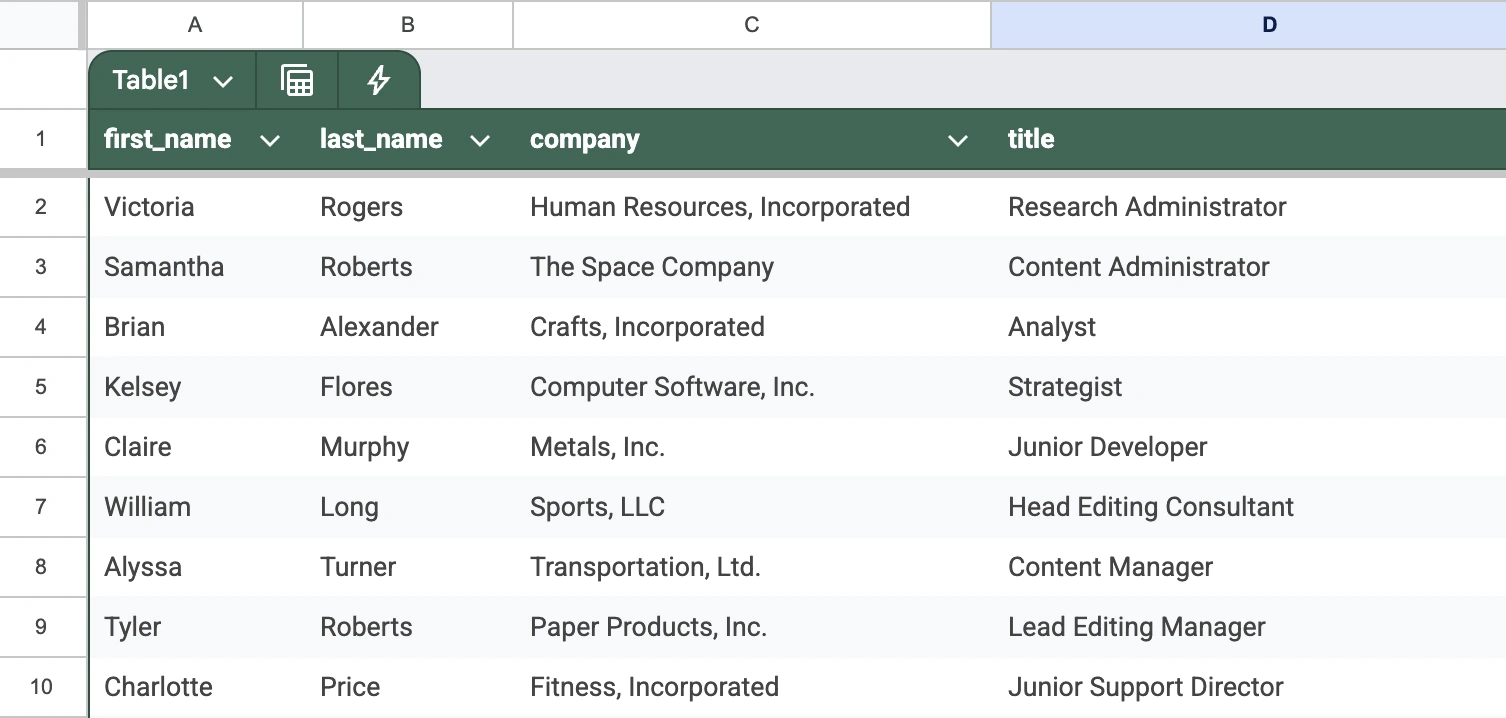
The attendee spreadsheet is where conference badge problems usually begin
If your attendee spreadsheet is inconsistent, your badge process becomes slow and error-prone. Names do not fit. Companies are missing. QR codes duplicate. VIPs get regular attendee badges. Staff badges accidentally print with attendee layouts. Long job titles break your design.
This guide explains how to structure an attendee spreadsheet for a large conference, including which columns to include, how to name them, how to handle multiple badge types, and how to prepare the file for print-ready badge generation.
With BadgeFlow, you can import attendee data, map spreadsheet columns to your badge design, generate QR codes or barcodes, and export a print-ready PDF for your conference badges.
Why large conferences need a proper attendee spreadsheet template
At a large event, your attendee list is used by more than one team. Registration needs it for check-in. The badge team needs it for printing. The speaker team needs it for speaker badges. The sponsor team may need lead retrieval IDs. Security may need access levels. The operations team may need staff, exhibitor, VIP, and media categories.
That means your spreadsheet needs to do more than store names and emails. It needs to be structured enough that every person can be turned into the correct physical badge with the correct information.
A good attendee spreadsheet helps you:
- avoid duplicate badge records
- generate unique QR codes
- separate attendee types
- create speaker, VIP, staff, and exhibitor badges
- keep badge text consistent
- reduce manual editing
- prevent long names and titles from breaking badge layouts
- reprint badges quickly on-site
- keep sensitive data away from printed badges
For large conferences, the goal is simple: every row should represent one badge-ready person.
The golden rule: one row = one badge
The most important rule is: each row in your spreadsheet should represent one person who needs one badge.
Do not combine multiple attendees into one row. Do not put guest names inside notes. Do not write “John Smith + 2 guests” in a single cell. Do not mix company records and people records.
Your badge generator can only produce reliable output when every row is a clean badge record.
| attendee_id | first_name | last_name | company | job_title | ticket_type | badge_type | qr_token |
|---|---|---|---|---|---|---|---|
| ATT-0001 | Sarah | Chen | Northline AI | VP of Product | Full Pass | Attendee | REG-9F4A2C |
| ATT-0002 | Marcus | Reed | CloudWorks | Founder | Speaker | Speaker | REG-82BD10 |
| ATT-0003 | Priya | Shah | FinEdge | Partnerships Lead | VIP | VIP | REG-11A8D9 |
Essential columns for a conference attendee spreadsheet
1. attendee_id
This is your internal unique identifier for each attendee.
Example values:
ATT-000001REG-48291CONF2026-0001
This field is useful for:
- deduplication
- check-in lookup
- badge reprints
- QR code generation
- support requests
- importing and exporting between systems
Avoid using email as your only unique ID. People sometimes register with shared inboxes, assistants’ emails, or changed email addresses.
Best practice: create a unique attendee ID and keep it stable.
2. first_name
This is the attendee’s first name as it should appear on the badge.
Examples:
- Sarah
- Marcus
- Priya
Keep this field clean. Avoid adding titles, emojis, nicknames, or notes unless you deliberately want them printed.
Good: Sarah
Avoid:
Sarah (VIP)Dr. SarahSarah - needs reprint
3. last_name
This is the attendee’s last name as it should appear on the badge.
For some badge designs, you may choose to print only the first name. But it is still useful to keep last names in your spreadsheet for search, sorting, and check-in.
4. full_name
This field is optional if you already have first_name and last_name, but it can be useful if your badge design prints a single name field.
Examples:
- Sarah Chen
- Marcus Reed
- Priya Shah
For large events, keeping first_name, last_name, and full_name gives you more flexibility.
5. company
This is one of the most important badge fields for conferences.
Examples:
- Northline AI
- CloudWorks
- FinEdge
Keep company names consistent. If one person has “Google” and another has “Google LLC,” they may look inconsistent on printed badges.
For badge design, company names are often more important than job titles because attendees use badges for networking.
6. job_title
This is useful for networking, but it can create layout problems if it is too long.
Examples:
- VP of Product
- Founder
- Partnerships Lead
- Senior Software Engineer
- Director of Events
For large conferences, consider setting a character limit for printed job titles, or use a badge layout that can handle two lines.
7. ticket_type
This field usually comes from your registration platform.
Examples:
- Full Pass
- Expo Only
- Workshop Pass
- Student
- Press
- VIP
- Speaker
- Staff
- Exhibitor
This is helpful for operations and access control. However, do not rely on ticket_type alone for badge design. You may want a separate badge_type field because multiple ticket types can share the same badge layout.
| ticket_type | badge_type |
|---|---|
| Full Pass | Attendee |
| Early Bird Full Pass | Attendee |
| VIP Full Pass | VIP |
| Keynote Speaker | Speaker |
| Sponsor Booth Staff | Exhibitor |
8. badge_type
This field controls which badge layout or visual category the person should receive.
Common badge types include:
- Attendee
- Speaker
- VIP
- Staff
- Exhibitor
- Sponsor
- Press
- Volunteer
This is one of the most important columns for large conferences because it allows you to create different badge visuals for different groups.
9. qr_token
This is the value used to generate a QR code on the badge.
Examples:
REG-8F3A9C2DATT-000483927d9b2f0e-4a12-4a10-8a51-1f3c2b9a71e4
For large conferences, the QR code should usually encode a unique attendee ID or registration token, not personal data.
Recommended:
- unique attendee ID
- registration token
- secure lookup token
Avoid encoding:
- email address
- phone number
- full contact details
- sensitive access notes
- private attendee information
Related article: QR codes on conference badges: what to encode for check-in and lead retrieval.
10. barcode_value
If your event uses barcodes instead of QR codes, include a dedicated barcode column.
Examples:
ATT000001REG48291CHECKIN735829
This is useful if you are working with scanners, access control systems, or legacy check-in workflows.
BadgeFlow supports both QR codes and barcodes, so you can generate scannable codes directly from your spreadsheet fields.
Optional columns for larger conference operations
access_level
Use this to define what the person can access.
Examples:
- All Access
- Expo Only
- Workshop A
- VIP Lounge
- Backstage
- Staff Only
session_access
Use this for workshop or track-based access.
Examples:
- AI Summit
- Developer Track
- Leadership Forum
- Workshop 3
- Main Conference + Training Day
dietary_requirement
This can be useful for catering, but think carefully before printing it on a badge.
In many cases, this should stay in the operations spreadsheet and not appear on the badge unless the attendee has explicitly agreed to it.
accessibility_notes
This should generally not be printed on a badge. Use this only for internal event operations and protect it carefully.
country_or_region
Useful for international conferences.
Examples:
- United Kingdom
- United States
- Germany
- Singapore
- Japan
language
Useful for global conferences with multilingual support.
booth_number
Important for exhibitors and sponsors.
Examples:
- A12
- B04
- Startup Zone 18
- Hall 3 / Stand 42
sponsor_tier
Useful if sponsors have different badge designs or access rights.
checkin_status
This is useful for live operations, but usually not part of the original print file.
print_batch
This is useful when printing thousands of badges in groups.
Examples:
- Batch 1
- Speakers
- VIP Morning
- Exhibitors
- Day 1 Attendees
- Late Registrations
notes_internal
This is for internal comments only. Do not print this on badges. Do not encode it in QR codes. Keep it separate from public-facing badge fields.
Recommended attendee spreadsheet template
| Column name | Required? | Printed on badge? | Purpose |
|---|---|---|---|
| attendee_id | Yes | Usually no | Unique internal ID |
| first_name | Yes | Yes | First name |
| last_name | Yes | Optional | Last name |
| full_name | Optional | Yes | Combined name field |
| company | Recommended | Yes | Company or organization |
| job_title | Recommended | Yes | Role or title |
| ticket_type | Recommended | Sometimes | Registration category |
| badge_type | Yes | Sometimes | Controls badge design |
| qr_token | Recommended | As QR | Check-in / scanning token |
| barcode_value | Optional | As barcode | Barcode scanning |
| access_level | Optional | Sometimes | Access control |
| booth_number | Optional | For exhibitors | Exhibitor/sponsor logistics |
| sponsor_tier | Optional | Sometimes | Sponsor categorization |
| country_or_region | Optional | Sometimes | International events |
| language | Optional | Usually no | Support routing |
| print_batch | Optional | No | Print organization |
| notes_internal | Optional | No | Internal operations notes |
You can copy this structure into Excel, Google Sheets, Airtable, or your registration platform export.
Column naming best practices
Column names matter. Clean column names make it easier to map your spreadsheet fields into your badge template.
Use simple, lowercase names with underscores:
Good:
first_namelast_namecompanyjob_titlebadge_typeqr_token
Avoid:
First Name!!!Name (as it should appear on badge)Company / Organisation / EmployerQR code data - DO NOT EDITType?
Short, predictable column names reduce mistakes when importing data into badge software.
How to handle long names, companies, and job titles
Large events often have international attendees, which means names and organizations can vary a lot in length.
Long names
For badge readability, you may want to use a larger first name and a smaller full name, or allow names to wrap across two lines.
Long company names
Some organizations have very long legal names. A useful solution is to keep two columns:
company_legalcompany_display
Use company_display on the badge.
Long job titles
Job titles can easily become too long for a badge. A useful solution is:
job_title_fulljob_title_display
Use the shorter display version on the badge.
How to manage multiple badge types in one spreadsheet
Large conferences rarely have only one badge type. You may need badges for:
- attendees
- speakers
- staff
- volunteers
- sponsors
- exhibitors
- press
- VIPs
- security
- contractors
The easiest way to manage this is to keep everyone in one master spreadsheet, then use badge_type to separate print runs or designs.
| full_name | company | ticket_type | badge_type |
|---|---|---|---|
| Sarah Chen | Northline AI | Full Pass | Attendee |
| Marcus Reed | CloudWorks | Keynote Speaker | Speaker |
| Priya Shah | FinEdge | VIP Pass | VIP |
| Daniel Kim | Event Team | Organizer | Staff |
| Amara Jones | TechDaily | Media Pass | Press |
How to prepare QR codes and barcodes in your spreadsheet
For QR codes
Add a column called qr_token and use a unique value for every attendee.
| attendee_id | full_name | qr_token |
|---|---|---|
| ATT-0001 | Sarah Chen | REG-9F4A2C |
| ATT-0002 | Marcus Reed | REG-82BD10 |
| ATT-0003 | Priya Shah | REG-11A8D9 |
For barcodes
Add a column called barcode_value.
| attendee_id | full_name | barcode_value |
|---|---|---|
| ATT-0001 | Sarah Chen | ATT0001 |
| ATT-0002 | Marcus Reed | ATT0002 |
| ATT-0003 | Priya Shah | ATT0003 |
For both QR codes and barcodes, make sure values are unique, not empty, not duplicated, not too long, and compatible with your scanner or check-in system.
What not to include in a badge spreadsheet
Your master registration system may contain a lot of information. Not all of it belongs in your badge printing file.
Avoid including unnecessary sensitive fields in the badge spreadsheet, especially if multiple vendors or temporary staff will access it.
Be careful with:
- passport numbers
- full addresses
- phone numbers
- payment details
- dietary notes
- accessibility notes
- private internal comments
- personal identification numbers
- emergency contact details
For badge printing, use the minimum data required to produce the badge. A clean badge spreadsheet is not only easier to use, but also safer.
Pre-print checklist for large conference badge spreadsheets
Data completeness
Check that every required field is filled:
- first name
- last name or full name
- company
- badge type
- QR token or barcode value, if used
Duplicate checks
Look for duplicate:
- attendee IDs
- emails
- QR tokens
- barcode values
- full names with the same company
Badge type checks
Confirm that every person has the correct badge_type.
Layout checks
Look for values that may break your badge design:
- very long names
- very long companies
- very long job titles
- missing company names
- unexpected characters
- all-caps text
- inconsistent capitalization
QR and barcode checks
Check that:
- every code is unique
- no code is blank
- test scans work
- QR codes are large enough
- printed codes scan through badge holders
Print batch checks
If printing in batches, confirm:
- each batch is complete
- batches are clearly named
- VIPs, speakers, and staff are separated if needed
- late registrations have their own process
Example: simple attendee spreadsheet for a 5,000-person conference
| attendee_id | full_name | company | job_title | badge_type | ticket_type | qr_token | print_batch |
|---|---|---|---|---|---|---|---|
| ATT-000001 | Sarah Chen | Northline AI | VP of Product | Attendee | Full Pass | REG-9F4A2C | Batch 1 |
| ATT-000002 | Marcus Reed | CloudWorks | Founder | Speaker | Keynote Speaker | REG-82BD10 | Speakers |
| ATT-000003 | Priya Shah | FinEdge | Partnerships Lead | VIP | VIP Pass | REG-11A8D9 | VIP |
| ATT-000004 | Daniel Kim | Event Team | Registration Lead | Staff | Organizer | REG-44C10A | Staff |
| ATT-000005 | Amara Jones | TechDaily | Editor | Press | Media Pass | REG-5C771B | Press |
Example: exhibitor and sponsor badge spreadsheet
| attendee_id | full_name | company | badge_type | sponsor_tier | booth_number | qr_token |
|---|---|---|---|---|---|---|
| EXH-0001 | Lena Ortiz | BrightCloud | Exhibitor | Gold | B12 | EXH-72AC9 |
| EXH-0002 | Noah Smith | DataForge | Sponsor | Platinum | A01 | EXH-19DD4 |
| EXH-0003 | Mei Tan | SecureStack | Exhibitor | Silver | C08 | EXH-84BF2 |
Example: staff and volunteer badge spreadsheet
| staff_id | full_name | team | role | badge_type | access_level |
|---|---|---|---|---|---|
| STF-001 | Daniel Kim | Registration | Desk Lead | Staff | All Access |
| STF-002 | Olivia Brown | Speaker Ops | Green Room | Staff | Backstage |
| VOL-001 | Ethan Lee | Volunteers | Queue Support | Volunteer | Registration Area |
Using BadgeFlow with your attendee spreadsheet
BadgeFlow is designed for conference organizers who already have attendee data in a spreadsheet.
With BadgeFlow, you can:
- import attendee data from CSV, Excel, or Google Sheets
- map columns like
full_name,company,job_title, andbadge_type - generate QR codes from a field like
qr_token - generate barcodes from a field like
barcode_value - export print-ready badge PDFs
- use custom badge sizes and paper sizes
Instead of fighting with Word mail merge or manually editing badge templates, you can turn structured spreadsheet data into clean conference badges much faster.
FAQ: attendee spreadsheet templates for conferences
What columns should an attendee spreadsheet include?
A good attendee spreadsheet should include first name, last name or full name, company, job title, ticket type, badge type, attendee ID, and QR token or barcode value if you use scanning.
For larger events, you may also need access level, booth number, sponsor tier, country, language, print batch, and internal notes.
Should I use one spreadsheet for all badge types?
Yes, in most cases. Keep one master attendee spreadsheet and use a badge_type column to separate attendees, speakers, VIPs, staff, exhibitors, press, and volunteers.
What is the best format for attendee spreadsheet column names?
Use short, clear column names with underscores, such as first_name, last_name, company, job_title, badge_type, and qr_token.
Should QR codes contain attendee personal data?
Usually, no. For large conferences, it is better to encode a unique attendee ID or registration token. Your check-in or scanning system can use that token to look up the attendee record.
How do I avoid duplicate QR codes?
Create a unique qr_token for every attendee and check the column for duplicates before printing. You can also use your registration ID or attendee ID as the QR value if it is unique and stable.
Should I include dietary requirements in the badge spreadsheet?
Only if your event operations require it, and be careful about privacy. Dietary requirements should usually not be printed on badges or encoded in QR codes unless there is a clear reason and appropriate consent.
How do I handle long company names on badges?
Use a separate company_display column for the badge. Keep the full legal company name in your registration system if needed, but print a shorter version on the badge.
Can I create badges from Excel?
Yes. With BadgeFlow, you can import attendee data from CSV, Excel or Google Sheets, map your spreadsheet columns to a badge template, and export a print-ready PDF.