
Avery®-Compatible Name Badge Templates for Events
If you are looking for Avery®-Compatible Name Badge templates, you are usually trying to solve a simple problem: you need badges that fit a familiar Avery®-style layout, but you do not necessarily want to use Avery’s own editor or a Word mail merge workflow.
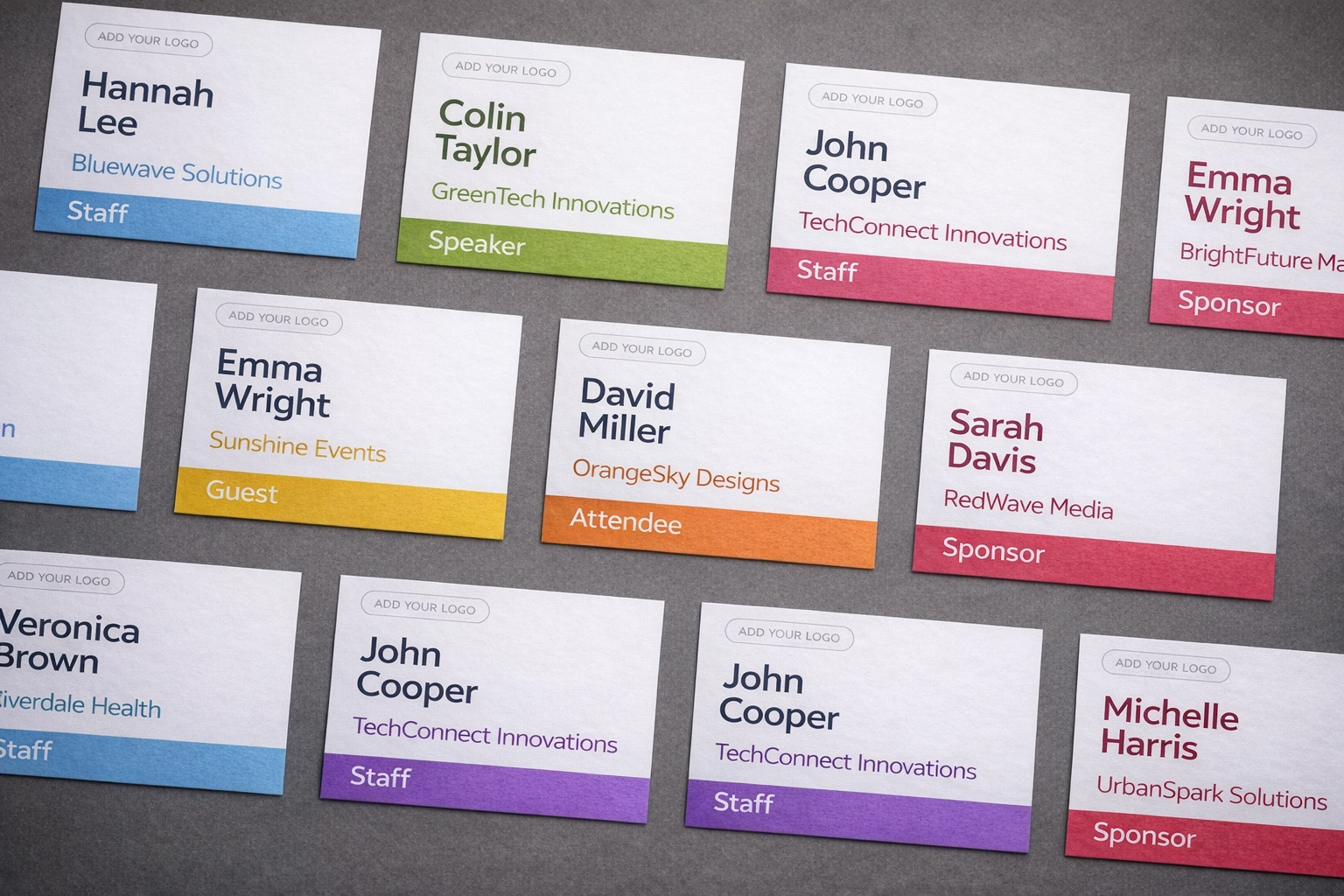
In plain English, Avery®-compatible means the badge design matches the physical format of a commonly used Avery®-style product: the same badge size, the same number of badges per sheet, and the same printable layout. That could mean insert badges for holders and lanyards, adhesive badges for quick events, or larger conference badge formats.
For BadgeFlow users, the real question is not just “Which Avery® code do I need?” It is usually: Which layout fits my event, and what is the easiest way to turn attendee data into a print-ready PDF?
What “Avery-compatible” means
When people search for Avery® badge templates, they often mean one of these things:
- a badge that fits a specific Avery® product they already bought
- a badge size and sheet layout that works with Avery®-style stock
- an easier alternative to a Word or template-editor workflow
The best way to choose a layout is by looking at the badge size, badges per sheet, and badge type. If you are not sure which format makes sense for your event, start with our conference badge size guide.
Insert badges vs adhesive badges
Insert badges
Insert badges are a strong choice for conferences, trade shows, and staff passes. They work well when you need space for names, companies, roles, or QR codes, and they are ideal for holders or lanyards.
Adhesive badges
Adhesive badges are better for shorter events, office visitors, networking sessions, and quick check-in setups. They are faster to hand out and do not require plastic holders or extra accessories.
As a rule:
- choose insert badges for a more polished conference look
- choose adhesive badges for speed and simplicity
- choose a larger badge format when readability matters
Supported Avery®-compatible layouts in BadgeFlow
BadgeFlow supports a range of Avery®-compatible badge layouts, including common US and UK/EU formats. That means you can keep the familiar Avery®-style stock or sheet layout while generating your badges in BadgeFlow instead of relying on Word templates or manual mail merge.
Use the code printed on the package first. Dimensions are the finished badge dimensions; “landscape” describes the usual event-badge orientation. Confirm the package details before printing because products with similar finished sizes can use different sheet layouts.
| Product | Badge dimensions | Sheet | Per sheet | Format | Availability | Orientation | Recommended event use |
|---|---|---|---|---|---|---|---|
| 5383 | 2¼ × 3½ in | US Letter | 8 | Insert | US | Landscape | Holder-based attendee badges |
| 5390 | 2¼ × 3½ in | US Letter | 8 | Insert | US | Landscape | Conferences and networking events |
| 74461 | 2¼ × 3½ in | US Letter | 8 | Insert | US | Landscape | Reusable holder kits |
| 74549 | 2¼ × 3½ in | US Letter | 8 | Insert | US | Landscape | Small and medium events |
| 74550 | 2¼ × 3½ in | US Letter | 8 | Insert | US | Landscape | Small and medium events |
| 74556 | 2¼ × 3½ in | US Letter | 8 | Insert | US | Landscape | Holder-based event badges |
| 74651 | 2¼ × 3½ in | US Letter | 8 | Insert | US | Landscape | Holder-based event badges |
| 74652 | 2¼ × 3½ in | US Letter | 8 | Insert | US | Landscape | Holder-based event badges |
| 5384 | 3 × 4 in | US Letter | 6 | Insert | US | Landscape | Larger names and extra fields |
| 5392 | 3 × 4 in | US Letter | 6 | Insert | US | Landscape | Conferences with roles or codes |
| 5393 | 3 × 4 in | US Letter | 6 | Insert | US | Landscape | Conferences with roles or codes |
| 74459 | 3 × 4 in | US Letter | 6 | Insert | US | Landscape | Large readable attendee badges |
| 74536 | 3 × 4 in | US Letter | 6 | Insert | US | Landscape | Large readable attendee badges |
| 74540 | 3 × 4 in | US Letter | 6 | Insert | US | Landscape | Large readable attendee badges |
| 74541 | 3 × 4 in | US Letter | 6 | Insert | US | Landscape | Large readable attendee badges |
| 78617 | 3 × 4 in | US Letter | 6 | Insert | US | Landscape | Large-format holder badges |
| 78619 | 3 × 4 in | US Letter | 6 | Insert | US | Landscape | Large-format holder badges |
| 5395 | 2⅓ × 3⅜ in | US Letter | 8 | Adhesive | US | Landscape | Short events and visitor badges |
| 8395 | 2⅓ × 3⅜ in | US Letter | 8 | Adhesive | US | Landscape | Short events and visitor badges |
| 15395 | 2⅓ × 3⅜ in | US Letter | 8 | Adhesive | US | Landscape | Temporary attendee badges |
| 25395 | 2⅓ × 3⅜ in | US Letter | 8 | Adhesive | US | Landscape | Temporary attendee badges |
| 42395 | 2⅓ × 3⅜ in | US Letter | 8 | Adhesive | US | Landscape | Temporary attendee badges |
| 45395 | 2⅓ × 3⅜ in | US Letter | 8 | Adhesive | US | Landscape | Temporary attendee badges |
| 48395 | 2⅓ × 3⅜ in | US Letter | 8 | Adhesive | US | Landscape | Temporary attendee badges |
| 88395 | 2⅓ × 3⅜ in | US Letter | 8 | Adhesive | US | Landscape | Temporary attendee badges |
| 5361 | 2 × 3¼ in | US Letter | 8 | Self-laminating | US | Landscape | Durable ID-style badges |
| 5362 | 2 × 3¼ in | US Letter | 8 | Self-laminating | US | Landscape | Durable ID-style badges |
| L4785 | 80 × 50 mm | A4 | 10 | Adhesive | UK/EU | Landscape | Visitors and short meetings |
| L4786 | 80 × 50 mm | A4 | 10 | Adhesive | UK/EU | Landscape | Visitors and short meetings |
| L4787 | 80 × 50 mm | A4 | 10 | Adhesive | UK/EU | Landscape | Visitors and short meetings |
| L7418 | 86 × 55 mm | A4 | 8 | Card badge | UK/EU | Landscape | Conference attendee cards |
| L7418K | 86 × 55 mm | A4 | 8 | Card badge | UK/EU | Landscape | Conference attendee cards |
| L4727 | 90 × 54 mm | A4 | 8 | Insert | UK/EU | Landscape | Plastic holder badges |
| L4728 | 90 × 60 mm | A4 | 8 | Insert | UK/EU | Landscape | Holder badges with extra detail |
| L4832 | 85 × 54 mm | A4 | 1 | Single card | UK/EU | Landscape | One-off ID or badge printing |
- Avery® 5390 — name badge inserts, 2-1/4" x 3-1/2", 8 per sheet. A classic insert format for conferences and holder-style name badges.
- Avery® 5392 — name badge insert refills, 3" x 4", 6 per sheet. A larger insert format that works well for events needing more readable text or extra fields.
- Avery® 5395 — adhesive name badges, 2-1/3" x 3-3/8", 8 per sheet. A practical choice for temporary event badges and quick check-in workflows.
- Avery® 5361 — self-laminating ID-card format, 2" x 3-1/4".
- Avery® L4785 — self-adhesive name badges, 80 x 50 mm, 10 per sheet. A UK-format adhesive badge for visitors, meetings, and temporary events.
- Avery® L7418 — 86 x 55 mm, 8 per sheet. A popular UK/EU card-sized badge format.
- Avery® L4727 — micro-perforated printable inserts, 90 x 54 mm. Designed for use with plastic badge holders and often used for conferences, seminars, and training sessions.
- Avery® L4728 — micro-perforated printable inserts, 90 x 60 mm, 8 per sheet. A slightly taller insert format with more room for event details.
- Avery® L4832 — 85 x 54 mm, 1 per sheet. A single-card format suited to one-off badge or ID printing.
In other words, if you already have stock or layouts based on these Avery®-style formats, they are supported in BadgeFlow. You can prepare your attendee data, choose the matching layout, and export a print-ready PDF without rebuilding everything in a separate template editor.
Common US Avery® codes
A few popular US badge formats are worth knowing:
- Avery® 5390 — name badge inserts, 2-1/4" x 3-1/2", 8 per sheet
- Avery® 5392 — larger badge inserts, 3" x 4", 6 per sheet
- Avery® 5395 — adhesive name badges, 2-1/3" x 3-3/8", 8 per sheet
- Avery® 5361 — self-laminating ID cards, commonly used for durable badge-style IDs
For a more detailed comparison of badge sizes and when to use them, see Conference Badge Size Guide.
Common UK and EU Avery®-style codes
In the UK and Europe, Avery® products are often identified by software codes rather than the US numbering system. Popular formats include L4785, L7418, L4727, L4728, and L4832. The safest way to match them is by:
- finished badge size
- badges per sheet
- insert vs adhesive format
That is usually more reliable than trying to match US and UK product codes directly.
Spreadsheet-to-PDF vs Word/template workflows
A traditional Avery® workflow usually means editing inside a template tool or using Word. That can work for small runs, but it gets harder when attendee lists change or badge content becomes more complex.
For events, a spreadsheet-to-PDF workflow is a good alternative to a Word/template workflow:
- prepare your attendee list in a spreadsheet
- match it to an Avery®-compatible badge layout
- export a print-ready PDF
This is where BadgeFlow fits well. Instead of wrestling with mail merge and template boxes, you can move from attendee data to a printable badge file more directly. To learn more, read Name Badges From Excel and Mail Merge Name Tags vs Online Badge Generator.
You can use the same kind of workflow when registrations live on a common event platform: export attendees, then generate badges from that data. For Eventbrite, see How to Print Name Badges from Eventbrite and Eventbrite badge printing: what’s possible, what isn’t, and the fastest workflows.
For other platforms, see How to Print Name Badges from Cvent, How to Print Name Badges from Bizzabo, and How to Print Name Badges from Universe.com.
How to choose the right Avery®-compatible layout
Choose your layout based on the event:
- Insert badges for conferences, expos, and branded events
- Adhesive badges for quick, temporary, low-overhead events
- Larger formats for long names, sponsor logos, or QR codes
The most important thing is to match by physical format, not just by template code.
Final takeaway
The best Avery®-Compatible Name Badge templates are the ones that match your stock, your event format, and your workflow.
BadgeFlow supports widely used Avery®-compatible layouts across both US and UK/EU formats, including insert badges, adhesive badges, and self-laminating ID-card styles. If you already know the badge size and sheet layout you need, you can keep the familiar Avery®-style format while choosing a possibly faster way to generate badges, especially if you are working from Excel or CSV attendee data.