
Barcode vs QR Code on Conference Badges: Which One Should You Use?
Use a QR code when you need more flexible data or smartphone scanning. Use a one-dimensional barcode when a dedicated system already expects that barcode type. In both cases, the code is only useful when a compatible scanning workflow exists.
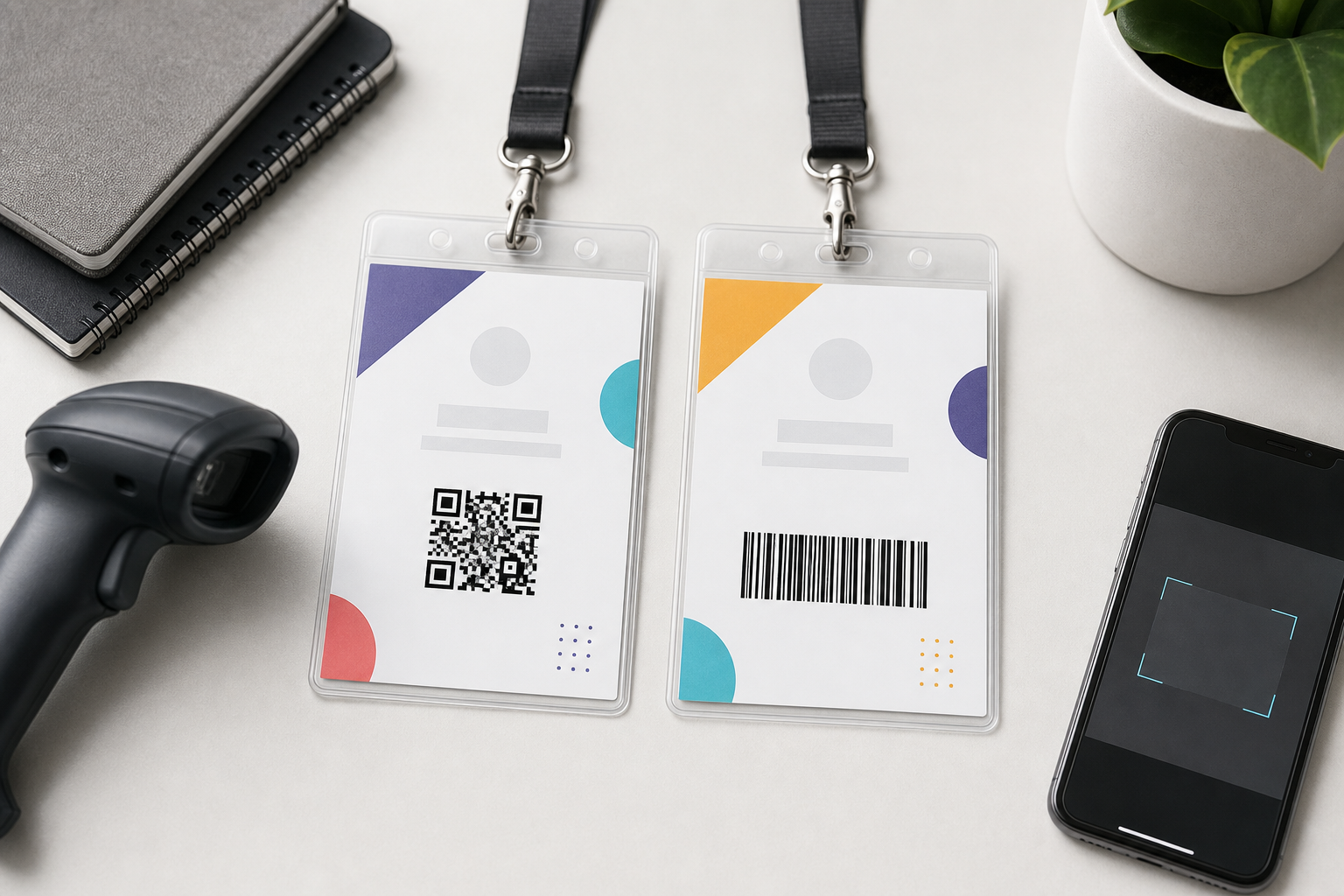
The decision in one table
| Need | Usually choose | Reason |
|---|---|---|
| Phone-camera scanning | QR code | Most modern phones can read standard QR codes. |
| Existing dedicated scanner workflow | The barcode type the system requires | Compatibility matters more than theoretical advantages. |
| Compact ID or URL | Either | Test size, scanner and print quality. |
| More data or stronger damage tolerance | QR code | Two-dimensional encoding and error correction provide more flexibility. |
| No scanning process | Neither | A code adds clutter without operational value. |
How one-dimensional barcodes work
A one-dimensional barcode stores information in a sequence of bars and spaces. The scanner reads across one direction. Common event use cases include a registration ID or ticket code that an existing system recognises.
BadgeFlow supports Code 39 and Code 128 at the time of writing. Confirm current product support before publishing or implementing a production workflow.
How QR codes work
A QR code stores information in a two-dimensional grid. It can contain an attendee ID, URL or another value and can often be scanned with phones as well as dedicated devices. QR codes support different error-correction levels, but that does not make poor printing harmless.
Comparison
| Factor | QR code | 1D barcode |
|---|---|---|
| Data capacity | Higher | Lower |
| Shape | Usually square | Wide rectangle |
| Phone support | Common | Varies by app and symbology |
| Dedicated scanners | Requires 2D-capable scanner | Often supported by simple laser scanners |
| Damage tolerance | Can recover from some damage depending on error correction | Damage across bars can prevent reading |
| Best choice | Flexible modern workflows | Established systems with a required format |
Check-in use cases
At check-in, the code usually represents a registration record. Scanning should retrieve the record, confirm validity and update the attendee status. Printing the code is only one part of that chain.
BadgeFlow does not perform live check-in or validation. It can place the expected value on the physical badge after you have exported or prepared the attendee data.
Session access and attendance
Session scanning may use the same attendee ID as check-in, but the software must associate each scan with the correct session and time. Do not assume a code created for entry automatically supports session tracking.
Lead retrieval
Exhibitors may scan badges to request or record attendee details. This requires an authorised lead-retrieval system, a clear privacy notice and a controlled relationship between the printed ID and attendee data.
Do not encode a full personal contact record in plain text merely to make it easy to scan. A random identifier resolved by the authorised platform is usually safer.
Registration ID or URL?
- Internal ID: compact, does not expose direct personal information, but requires compatible software.
- Secure URL: can open a controlled page, but must be designed to avoid unauthorised access.
- Public profile URL: useful for networking only when the attendee knowingly opts in.
- Plain personal data: easy to expose and generally unnecessary.
Privacy and security
Anyone with a phone can photograph a visible badge. Treat the code as public unless the data behind it is protected. Use non-guessable identifiers, access controls and limited permissions. Avoid embedding email addresses, phone numbers, dietary requirements or payment information.
Data capacity is not a target
A QR code can hold substantial data, but denser codes contain smaller modules and can be harder to print and scan at badge size. Encode only what the workflow needs. A short attendee ID usually produces a cleaner result than an entire JSON record or long tracking URL.
Code 39 versus Code 128
Code 39 is straightforward and supported in many established systems, but it can become wide. Code 128 can represent data more compactly and supports a broader character set. The decisive factor is the scanning system’s accepted format.
Minimum size and scanning distance
There is no single safe minimum that applies to every code. Required size depends on:
- the amount of encoded data;
- printer resolution and ink or toner quality;
- the scanner or camera;
- the expected scanning distance;
- lighting, glare and holder material;
- whether the badge bends or moves.
Create samples using the longest and densest real values, then test them with the actual scanning devices.
Contrast and quiet zones
Use a dark code on a light, plain background. Keep an empty margin around it. Do not place the event pattern, photograph or gradient behind the code. Avoid cutting into the quiet zone with a border or label.
Holder glare, curves and damage
A code may scan perfectly before insertion and fail under a reflective plastic pocket. Test the assembled badge under venue lighting. Keep the code away from the holder seam, lanyard slot and areas likely to bend.
When neither code is necessary
Do not add a code simply because it looks technical. A networking event with manual alphabetic check-in may gain more from a larger name than from an unused code. Every element should support a real task.
Generate unique codes from spreadsheet fields
Keep one stable code value per attendee in the spreadsheet. Import the list into BadgeFlow and map that column to a QR-code or barcode element. Avoid regenerating random values during every export, because the printed badge must continue to resolve to the same attendee record.
For the broader workflow, see QR codes and barcodes on name badges and name badges from Excel.
Test-scanning checklist
- Confirm the code type required by the software.
- Use realistic production values.
- Print with the final printer and stock.
- Insert the badge into the real holder.
- Test every scanner and phone model used by staff.
- Test under venue-like lighting.
- Test worn badges at the expected angle and distance.
- Define a manual fallback.
Use the conference badge size guide and conference badge design guide to reserve enough space without sacrificing the attendee’s name.
Decision scenarios
Scenario 1: smartphone-based volunteer check-in
A QR code is usually the practical choice because modern phones can scan it without dedicated one-dimensional laser hardware. The app must still validate the value and synchronise check-in status.
Scenario 2: warehouse-style scanners already supplied
If the event system and scanners are configured for Code 128, use Code 128 rather than introducing QR codes solely for design preference. Existing compatibility and staff training have operational value.
Scenario 3: public networking profile
A QR code can link to an attendee-controlled profile, but participation should be optional and the destination should not expose more personal data than intended. Consider a visible label explaining what the code opens.
Scenario 4: badge used only for identification
Use no code. Make the attendee’s name larger and remove an element that creates no measurable benefit.
QR error correction does not replace testing
QR codes can include error correction that allows some information to be recovered when part of the symbol is damaged. Higher error correction also increases code density for the same data. A logo placed over the centre, a fold, a reflective holder or low-resolution print can still cause failure.
Use a standard code without decorative modifications for operational check-in. If branding is added, validate hundreds of representative scans rather than testing one ideal sample.
Select scanners as part of the system
A one-dimensional laser scanner cannot generally read a QR code. A two-dimensional imager can often read both QR codes and common 1D formats, but software support still matters. When choosing hardware, verify:
- supported symbologies;
- working distance;
- screen and printed-code performance;
- USB, Bluetooth or mobile connectivity;
- battery life and charging plan;
- how scans are sent to the event application;
- offline behaviour.
Operational fallback
Every scanning workflow needs a manual path. Staff should be able to search by name, registration ID or email when a badge is damaged or the scanner is unavailable. Decide who can override a failed scan and how that decision is logged.
For session or access control, a visual badge category should not be treated as proof when the underlying credential is invalid. The event system should remain authoritative.
Measure performance before the event
Run a realistic test with several staff members and a queue of sample badges. Measure first-scan success, time per attendee and the frequency of manual searches. Test moving badges, different heights, dark venue areas and codes printed by every production printer.
Frequently asked questions
Are QR codes or barcodes better for conference badges?
QR codes are often more flexible and phone-friendly. One-dimensional barcodes can be efficient when dedicated scanners and an existing system expect a specific symbology. The right choice depends on the complete scanning workflow.
What should I encode on an event badge?
Prefer a random or internal attendee identifier that the authorised system resolves to a record. Avoid directly encoding unnecessary personal information.
How large should a badge QR code be?
There is no universal guaranteed size. The required size depends on data density, print quality, camera or scanner, viewing distance and lighting. Generate realistic samples and test them with the actual devices.
What is the difference between Code 39 and Code 128?
Both are one-dimensional barcode types. Code 128 is generally more compact for many data sets, while Code 39 is simpler and widely supported in some legacy workflows. Confirm what the target scanner and software accept.
Does BadgeFlow scan event badges?
BadgeFlow creates printable QR codes and supported barcodes in badge designs. Check-in, session tracking and lead retrieval require a separate compatible scanning and data system.