
Thermal vs Laser vs Inkjet Badge Printing: Which Is Best for Events?
Use laser printing for efficient pre-printed sheets, direct thermal for fast short-life monochrome badges, thermal transfer for more durable credentials, and colour inkjet label printing when full-colour badges must be produced onsite.
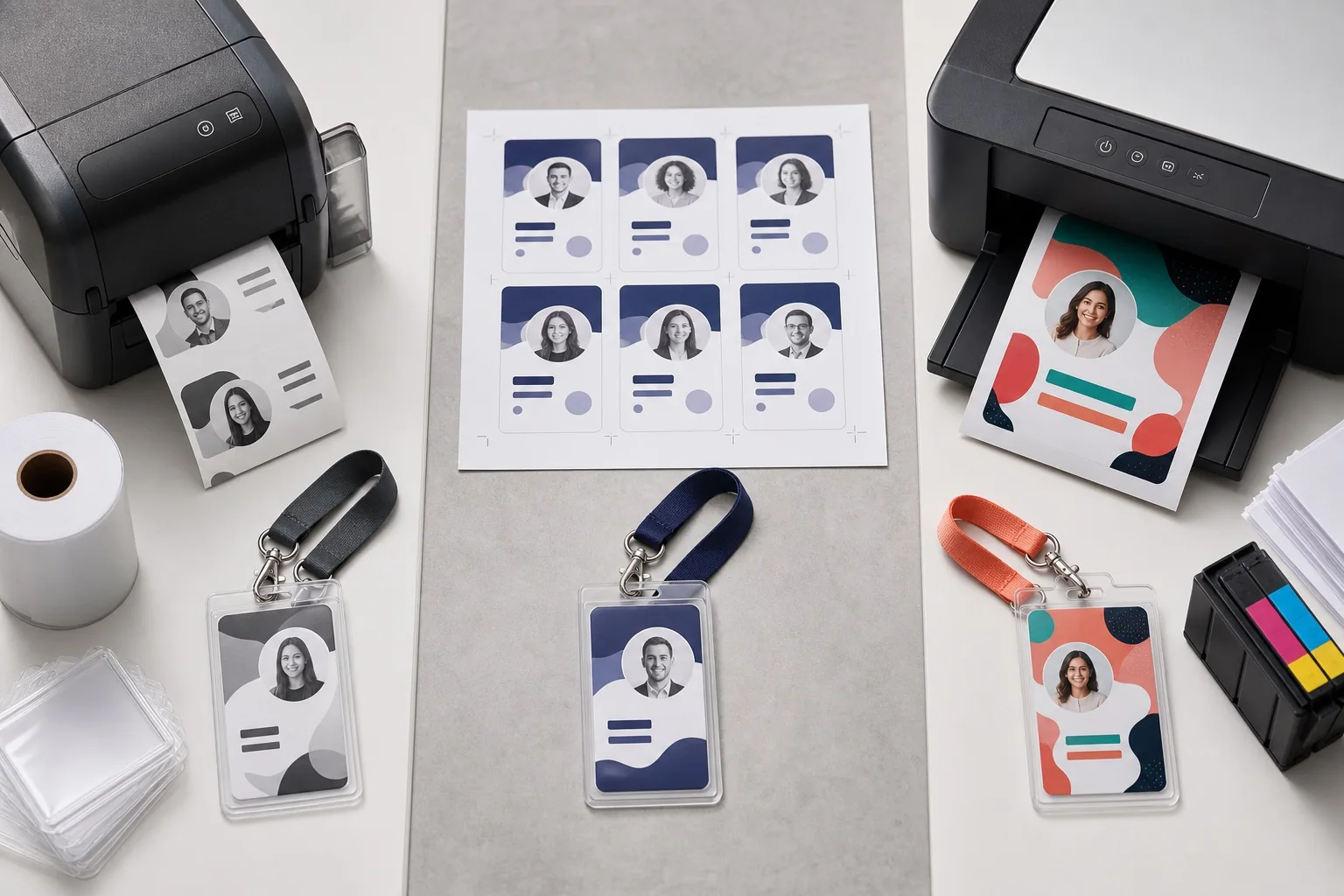
| Technology | Typical output | Colour | Consumables | Best event role | Main weakness |
|---|---|---|---|---|---|
| Direct thermal | Roll-fed coated stock | Usually monochrome | Thermal media | On-demand attendee badges | Heat/light sensitivity |
| Thermal transfer | Roll-fed stock with ribbon | Usually one ribbon colour | Media plus ribbon | Durable staff or multi-day badges | More setup and inventory |
| Colour laser | A4/Letter sheets | Full colour | Toner | Advance batch printing | Manual separation and insertion |
| Desktop inkjet | Sheets and supported card | Full colour | Ink | Small premium batches | Drying, smudging and slower output |
| Colour label inkjet | Roll or fan-fold stock | Full colour | Ink and coated media | Full-colour onsite badges | Higher hardware and maintenance tier |
| Plastic-card printer | Rigid CR80 cards | Full colour or mono | Ribbon/cards | Reusable staff IDs | Small format and specialist process |
Direct-thermal badge printing
A thermal printhead creates an image directly on coated stock. There is no toner, ink or ribbon. That keeps the printer compact and makes a roll change relatively simple. Brother QL, DYMO LabelWriter and direct-thermal Zebra variants are common examples.
Advantages
- Fast one-at-a-time output
- No ink or ribbon
- Compact registration-desk footprint
- Easy separation on die-cut or perforated stock
- Strong black text and codes when settings are correct
Disadvantages
- Normally monochrome
- Requires thermal media
- Can darken or fade under unsuitable conditions
- Sensor and calibration issues can stop the queue
- Not every printer width fits every conference badge
Direct thermal is strongest when the credential is needed for hours or days and colour is not essential.
Thermal-transfer badge printing
Thermal transfer uses a heated printhead to move material from a ribbon onto the badge. The ribbon and stock must be compatible. The output can be more resistant to handling and environmental exposure than direct thermal.
Choose it for staff, exhibitor or multi-day credentials that need more durability. Avoid it when the event is short and the additional ribbon setup offers no operational benefit.
Laser badge printing
Laser printers fuse toner onto sheets. For events, that typically means several paper or cardstock inserts on each A4 or Letter page. The workflow is efficient when the attendee list can be frozen before the event.
Advantages
- Full-colour text and logos
- Efficient multi-badge sheets
- Familiar office drivers
- Works with many paper inserts and pre-cut sheets
- Easy to send PDFs to a commercial print shop
Disadvantages
- Less convenient for one badge at a time
- Requires separation, sorting and holder insertion
- Heavy stock can jam if unsupported
- Automatic PDF scaling can ruin alignment
- A single correction may waste part of a sheet
Read the badge paper and cardstock guide before feeding unfamiliar material. If you use pre-cut products, match the exact grid from the Avery-compatible badge template guide.
Desktop inkjet badge printing
A desktop inkjet can create attractive colour badges for a small workshop, wedding or premium meeting. It may handle photographs and gradients better than an office laser, depending on the device and stock. The main concerns are feed reliability, ink consumption, drying, water resistance and speed.
Test the finished badge after it has dried. Place it in the holder, handle it with slightly damp hands and verify that dense colour areas do not transfer or scratch.
Colour label inkjet printing
A roll-fed colour printer such as Epson ColorWorks combines variable attendee data with full-colour output. It can print category colours, photos, logos and sponsor branding at check-in. That can eliminate pre-printed shells, but it also creates dependence on approved media, ink levels, printhead condition and a more expensive spare strategy.
The Epson ColorWorks event badge guide explains the C4000, C6000 and C6500 classes in detail.
Plastic-card printing
Plastic-card printers create durable CR80 credentials. They are a different solution from a large conference pass. Use them when card longevity, access encoding or reusable staff identity matters more than large networking text and sponsor space.
Compare real cost, not consumables alone
Total event cost includes:
- Printer purchase, rental or supplier charge
- Media, ink, toner or ribbon
- Badge holders and lanyards
- Setup waste and calibration stock
- Staff time for printing, separating, sorting and inserting
- Shipping and rush production
- Spare devices and technical support
- Uncollected pre-printed badges
- Walk-ins, corrections and replacements
- Post-event storage and maintenance
Use the budget badge printing options for a lower-cost overview and the affordable event badging comparison when balancing hardware against manual labour.
Printer speed versus attendee throughput
A specification such as labels per minute or millimetres per second measures the print engine in defined conditions. Attendee throughput includes:
- Finding or scanning the attendee record
- Confirming the name and organisation
- Resolving changes
- Generating or selecting the PDF page
- Sending and spooling the print job
- Printing and cutting
- Loading a holder or attaching a lanyard
- Scanning the completed badge if required
- Handing it to the attendee
A printer that outputs a label in two seconds can still be part of a 30-second service cycle.
Print-quality comparison
| Requirement | Direct thermal | Thermal transfer | Laser | Desktop inkjet | Colour label inkjet |
|---|---|---|---|---|---|
| Large black names | Excellent | Excellent | Excellent | Excellent | Excellent |
| Full-colour logos | No | No/limited ribbon | Good | Good to excellent | Excellent with tested media |
| Photographs | No | No | Moderate to good | Good | Good to excellent |
| QR codes | Good when sized correctly | Good | Good | Good after drying | Good; avoid busy backgrounds |
| Dense 1D barcodes | Resolution dependent | Resolution dependent | Good | Good | Good |
| Fine grey detail | Limited | Limited | Good | Good | Good |
| One-at-a-time workflow | Excellent | Excellent | Awkward | Awkward | Excellent |
Durability comparison
Do not describe a technology as waterproof without testing the exact media and consumable combination. A plastic holder can protect a paper insert, while an exposed thermal label may be more vulnerable. Consider heat, sunlight, moisture, rubbing, sanitiser, oils and event duration.
| Environment | Safer starting point | Reason |
|---|---|---|
| One-day indoor conference | Direct thermal or paper insert | Short lifespan and controlled environment |
| Multi-day event | Protected paper, thermal transfer or tested synthetic media | More handling and exposure |
| Outdoor festival | Synthetic stock or protected durable credential | Moisture, UV and abrasion |
| Long-term staff ID | Plastic card or laminated credential | Months or years of use |
| Premium photo badge | Colour label or card printer | Variable photographic output |
Best method by event size
50 attendees
Use an existing laser or inkjet printer. Print in advance and keep blank stock for a few corrections. Specialist hardware is rarely necessary.
250 attendees
Use laser sheets for the stable list. A compact thermal printer can handle walk-ins if changes are common.
1,000 attendees
Use a hybrid process. Print the stable majority in controlled batches, then operate a dedicated roll-fed exception station. Use the bulk badge printing from Excel workflow to avoid manual layout work.
5,000 attendees
Size the system from peak arrivals and failure tolerance. Use several identical stations, spare calibrated printers and a documented degraded mode. Follow the conference check-in and printing checklist.
Best method by requirement
| Requirement | Recommended starting point |
|---|---|
| Lowest upfront cost | Existing office laser or inkjet |
| Fast monochrome onsite issue | Direct thermal |
| More durable monochrome credential | Thermal transfer |
| Full-colour advance batch | Colour laser |
| Full-colour one-at-a-time badge | Colour label inkjet |
| Photo staff ID | Plastic-card printer |
| Adhesive visitor label | Compact direct thermal |
| Reusable holder insert | Laser or inkjet sheet |
| 4 × 6 monochrome pass | Four-inch direct thermal |
| Variable category colours onsite | Colour label inkjet |
The hybrid workflow most conferences should consider
- Pre-print fixed event branding or the stable attendee batch.
- Keep a controlled supply of blank or pre-branded stock.
- Use a thermal printer for names, roles and codes at the exception desk.
- Route complex corrections away from normal check-in.
- Use the same physical badge dimensions for advance and onsite output.
- Track reprints and destroy superseded credentials where access matters.
The pre-printed stock versus blank inserts guide compares this model with fully onsite production.
How to prepare BadgeFlow output for each method
Laser or desktop inkjet
Create an A4, Letter or compatible sheet layout with several badges per page. Print at actual size. Test sheet margins and cumulative alignment before the full batch.
Roll-fed thermal or colour label
Create one badge per PDF page using the exact finished stock dimensions. Match the driver’s media width, height and orientation. Configure gap, mark or continuous media outside BadgeFlow.
Codes and holder testing
Use the QR-code and barcode badge guide and scan the final assembled badge. Holder glare or curvature can break a code that worked on the flat sheet.
Environmental questions to ask
- Does the stock contain recycled material?
- Can attendees separate paper inserts from plastic holders?
- Is the coating accepted by local recycling facilities?
- Can holders and lanyards be collected and reused?
- How many personalised badges are discarded?
- Does onsite printing actually reduce waste after setup misprints are counted?
Avoid broad “eco-friendly” claims without defining the material and end-of-life process.
Decision tree: choose a badge-printing technology
- Can most badges be printed before the event? If yes, start with laser or outsourced advance printing.
- Must each badge be printed as the attendee arrives? If yes, consider roll-fed thermal or colour label inkjet.
- Does attendee-specific colour matter? If no, direct thermal is usually simpler. If yes, evaluate ColorWorks-class output.
- Must the credential last beyond a short event? If yes, evaluate thermal transfer, synthetic media or plastic card.
- Is the finished badge wider than four inches? If yes, use a wider colour printer, sheet workflow or professional supplier.
- Do you already own a compatible printer? Test the existing hardware before buying specialist equipment.
Hidden labour by printing method
| Task | Laser sheets | Direct thermal | Colour label inkjet | Plastic card |
|---|---|---|---|---|
| Separate badges | Yes, unless pre-cut | Usually no | Usually cutter/tear process | No |
| Sort before event | Usually yes | Optional | Optional | Usually yes |
| Load holders | Yes | Depends on media | Depends on media | No holder may be required |
| Change consumables | Toner/paper | Thermal rolls | Ink/media/maintenance items | Ribbon/cards |
| Calibrate media | No roll calibration | Yes | Yes | Card path setup |
| Handle one correction | Can waste sheet space | Easy one-at-a-time | Easy but costly | Easy but slower |
| Maintain spare hardware | Office fallback possible | Dedicated spare recommended | Expensive spare/fallback plan | Dedicated spare or manual process |
Badge workflow by event type
Networking meetup
Prioritise names over premium material. Adhesive direct-thermal labels or laser-printed inserts are usually sufficient. Avoid buying full-colour onsite equipment for a monthly event unless category colour is essential.
Trade show
Codes, exhibitor roles and sponsor categories may justify larger badges. Use pre-printed colour shells with thermal personalisation or full-colour roll output. Build a robust reprint process because exhibitors often change representatives.
University conference
Laser inserts provide flexibility across attendee, student, staff and speaker categories. A compact thermal station can support walk-ins. Confirm accessibility and offer alternatives to lanyards.
Outdoor festival
Material durability becomes as important as technology. Test moisture, UV, abrasion and attachment. Synthetic thermal-transfer or specialist passes may be appropriate.
Corporate visitor programme
Compact direct thermal is a natural fit for temporary labels. Keep identity verification and visitor records in the appropriate system rather than encoding excessive information on the badge.
Scan-quality test matrix
For each printer and stock combination, print codes at several practical sizes and settings. Record:
- Printer model and resolution
- Speed and darkness or quality setting
- Stock and holder
- QR error-correction level or barcode symbology
- Minimum scan distance
- Scanner model and phone camera results
- Performance under venue lighting
- Performance after bending or handling
Choose a generous code size rather than the smallest sample that scans once.
Preflight checklist for laser sheets
- Correct A4 or Letter PDF size
- Correct sheet product and orientation
- Actual-size/100% scaling
- Printer tray and media type set correctly
- Long-name preview
- Cumulative alignment checked on bottom row
- Duplex alignment checked where used
- Toner adhesion and cracking checked after separation
Preflight checklist for roll printers
- Exact page width and height
- Correct gap, mark or continuous setting
- Printer calibrated
- Cut or tear position approved
- Speed and darkness/quality approved
- Fifty-badge continuous test completed
- Spare printer already configured
- Stock change rehearsed
Sustainability and waste accounting
Measure actual material flows instead of assuming that one technology is greener. Record unused personalised badges, setup sheets, calibration labels, discarded liners, used ribbons, empty cartridges, holder reuse and lanyard collection. A reusable holder with a paper insert may perform well across recurring events if collection rates are high. An on-demand printer may reduce unused personalised badges but create liner and setup waste.
When professional printing is the better technology
Outsource when the badge requires full bleed, specialist finishing, unusual material, very large stable volume or quality that the internal team cannot reproduce reliably. Build time for data proof, physical proof, production, shipping, sorting and replacement stock. Keep an onsite fallback for late changes.
Technology migration plan
Events often move gradually rather than replacing the whole workflow:
- Start with laser-printed inserts.
- Add a compact thermal exception printer.
- Move to pre-branded shells and four-inch thermal personalisation.
- Add colour label printers only for workflows that require variable colour.
- Integrate check-in and automated printing when event volume and repetition justify the engineering.
Illustrative cost model for 500 attendees
The numbers below are categories to model rather than market quotes. Replace them with supplier prices:
| Cost item | Laser insert workflow | Direct-thermal workflow | Colour-label workflow |
|---|---|---|---|
| Printer | Existing or purchased office printer | One or more dedicated thermal devices | One or more dedicated colour label devices |
| Media | A4/Letter paper, card or pre-cut sheets | Thermal roll badges | Coated colour-label rolls |
| Consumables | Toner | None beyond thermal stock, or ribbon for transfer | Ink plus maintenance items |
| Finishing | Cut/separate and load holders | Cut/tear and possibly load holder | Cut/tear and possibly load holder |
| Setup waste | Alignment sheets | Calibration and test badges | Colour proofs, cleaning and calibration |
| Backup | Another office printer or plain insert | Pre-configured thermal spare | Spare colour printer or monochrome fallback |
| Labour profile | High before event | Higher during check-in | Higher technical support during check-in |
The correct answer depends on the value of staff time, queue risk and how often the hardware will be reused.
Common badge-printing technology myths
“Thermal printing has no consumables”
Direct thermal has no ink or ribbon, but the coated badge stock is a consumable. Thermal transfer also requires ribbon.
“Laser is too slow for conferences”
Laser can be highly efficient for advance sheets. It is less natural for one attendee at a time, not necessarily slow in batch production.
“Inkjet always produces better colour”
Colour quality depends on device, stock, driver, resolution and artwork. A laser proof can be more consistent than an untested inkjet stock.
“300 dpi makes every QR code scan”
Resolution cannot compensate for a tiny physical code, poor contrast, glare or invalid data.
“Onsite printing eliminates waste”
It can reduce unused personalised badges but creates calibration, liner, consumable and failure waste. Measure the actual event.
Technology test laboratory
Create the same BadgeFlow design for every candidate printer and compare:
- Time to first badge
- Time for 50 badges
- Text readability
- Code scanning
- Colour accuracy
- Finished dimensions
- Holder fit
- Stock changes
- Fault recovery
- Operator training time
- Waste produced
Choose the production deadline
Laser and outsourced workflows need a data-freeze point. Onsite workflows need a hardware-freeze point. Build backwards from the event:
- Physical proof approval
- Main batch print date
- Sorting and assembly
- Shipping or venue transport
- Late-change batch
- Event-day exception process
Final technology recommendation template
Event: [name and volume]
Badge: [dimensions, material, holder]
Production model: [advance/onsite/hybrid]
Technology: [laser/direct thermal/thermal transfer/colour label/card]
Reason: [three operational reasons]
Fallback: [tested alternative]
Acceptance test: [measured criteria]
Frequently asked questions
Is thermal or laser printing cheaper for event badges?
If you already own a compatible laser printer and can pre-print sheets, laser is often cheaper for a small or medium batch. Thermal can reduce one-at-a-time handling onsite but requires dedicated hardware and stock.
Do thermal badges fade?
Direct-thermal media can react to heat, light, abrasion and some chemicals. That may be acceptable for a short event; use thermal transfer, protected paper or plastic cards for longer-lived credentials.
Which method is best for full-colour badges?
A colour laser printer is efficient for advance sheet printing. A dedicated colour label inkjet is better when every full-colour badge must be printed individually onsite.
Can laser printers print QR codes?
Yes. Use strong contrast, actual-size PDF printing and a sufficient quiet zone. Scan-test the completed badge in its holder.
What is the best method for 1,000 attendees?
A hybrid process is often strongest: pre-print the stable majority using laser or a supplier, and use tested roll-fed printers for late registrations, replacements and corrections.
Is thermal transfer better than direct thermal?
It is more durable in many applications, but it is not automatically better for a two-day event. Direct thermal is simpler because it does not require a ribbon.
Can I print badges on heavy cardstock with an inkjet?
Only if the printer manufacturer supports the thickness and media type. Test feed, drying and smudging before ordering a full batch.
Does BadgeFlow work with every printing method?
BadgeFlow can create sheet-based or one-badge-per-page PDFs. The exact printer driver, media and scaling still need to be validated.