
Conference Check-In and Badge Printing Checklist
A smooth conference check-in starts weeks before the first attendee arrives. Your badge design, attendee spreadsheet, printer setup, desk layout, reprint process, and backup plan all affect the queue. Use this checklist to prepare event badges and registration desks with fewer surprises.
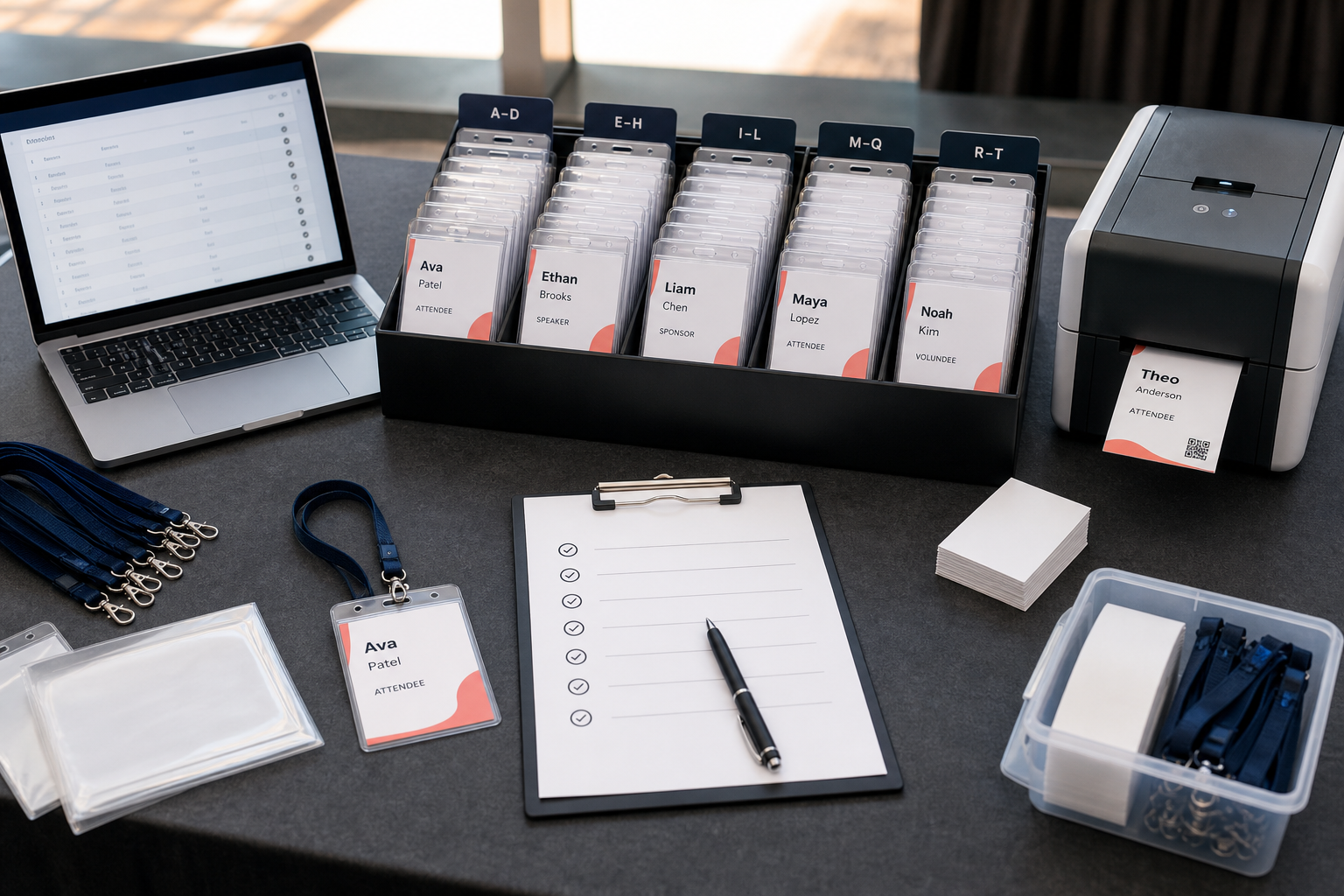
4–6 weeks before the event
- Confirm the badge format: holder insert, adhesive label, folded badge, card, or custom size.
- Choose portrait or landscape orientation.
- Order badge holders, lanyards, paper stock, or label stock.
- Decide whether badges will be pre-printed, printed onsite in batches, or printed on demand.
- Define the attendee data fields needed for badges.
- Create role categories such as Attendee, Speaker, Staff, Volunteer, Exhibitor, Sponsor, and VIP.
- Decide whether QR codes or barcodes are needed.
- Plan the registration desk layout and number of check-in lanes.
For badge dimensions, read Event Badge Size and Conference Badge Size.
1–2 weeks before the event
- Export or prepare the attendee spreadsheet.
- Remove cancelled attendees, duplicate rows, and test registrations.
- Standardise company names, role labels, and ticket types.
- Create a clean badge-ready spreadsheet tab with one row per badge.
- Build the badge design in BadgeFlow.
- Map fields such as full_name, company, job_title, badge_type, and qr_code_value.
- Preview badges for long names, missing fields, and different role categories.
- Print a test page on the real printer and stock.
- Place the test badge into the holder and check readability.
- Scan the QR code or barcode if you use one.
For spreadsheet structure, use Attendee Spreadsheet Template for Large Conferences. For QR setup, read QR Codes on Conference Badges.
The day before the event
- Freeze the main attendee list or define a cut-off time for final printing.
- Generate the final badge PDF.
- Print the main badge batch at actual size.
- Sort badges alphabetically, by company, by ticket type, or by registration lane.
- Prepare blank badge stock for reprints and walk-ins.
- Charge laptops, tablets, scanners, and phones.
- Pack power extensions, chargers, printer cables, spare toner or ink, and backup paper.
- Prepare signage for registration, speakers, exhibitors, VIPs, and help desk.
- Brief staff on the check-in process and exception process.
Event morning checklist
- Set up registration desks with enough space for badge pickup and lanyard assembly.
- Run a fresh printer test.
- Open the attendee spreadsheet and badge PDF on the reprint laptop.
- Confirm Wi-Fi or offline access if your process depends on online data.
- Place sorted badges where staff can find them quickly.
- Keep exceptions away from the main queue.
- Give each staff member a clear role: greeter, finder, scanner, printer, or exception handler.
- Check that signs are visible from the queue.
Registration desk setup
A good desk layout reduces queue pressure. Keep the main path simple: greet attendee, find badge, check in if needed, hand over badge and lanyard, move attendee forward.
| Station | Owner | Timing | Risk if missed |
|---|---|---|---|
| Main badge pickup | Registration staff | Doors open | Long queues and confused attendees |
| Reprint station | Badge lead | All check-in hours | Main queue blocked by spelling errors |
| Walk-in desk | Registration manager | As needed | Unregistered attendees slow the line |
| Speaker/VIP support | Guest lead | Peak arrival windows | Important guests wait in wrong queue |
| Supply table | Operations support | Before doors | Staff leave desk to find lanyards or holders |
Badge reprint and walk-in process
Even with careful preparation, you will need reprints. Someone’s name may be misspelled, a company may change, a speaker may be replaced, or a walk-in may arrive.
- Move the attendee to the exception desk.
- Confirm the correct spelling and details.
- Update the badge-ready spreadsheet.
- Regenerate or edit the affected badge in your current workflow.
- Print only the required badge or page if possible.
- Hand the attendee the corrected badge and keep the main queue moving.
For onsite workflows, read Onsite Badge Printing for Events.
Common problems and backups
| Problem | Backup |
|---|---|
| Printer stops working | Bring a backup printer or have blank badges and marker pens ready |
| PDF alignment is wrong | Test actual-size printing before doors open |
| Attendee not found | Use a separate lookup sheet and exception process |
| QR codes do not scan | Check printed size, contrast, and plastic holder glare |
| Long queue forms | Split lanes alphabetically or by ticket type |
| Wrong badge type | Check the badge_type column and reprint from the exception desk |
For cost-conscious fallback options, read Printing Event Badges on a Budget. For spreadsheet-driven badge creation, see Name Badges From Excel.
FAQ
What should be on a conference check-in checklist?
A conference check-in checklist should cover attendee data, badge design, badge printing, printer testing, supplies, desk layout, staffing, reprints, walk-ins, QR scanners, and backup plans.
When should I print conference badges?
For most events, print the main badge batch after the attendee list is stable but early enough to test, sort, and fix mistakes. Keep a reprint process for last-minute changes and walk-ins.
How do I organise badges at registration?
Sort badges alphabetically, by company, by ticket type, or by registration lane depending on event size. Use clear desk signage and keep exceptions away from the main queue.
What supplies do I need at the registration desk?
Common supplies include printed badges, blank stock, badge holders, lanyards, pens, tape, scissors, printer paper, spare toner or ink, chargers, extension leads, a laptop, and a reprint process.
How do I handle badge reprints?
Create one exception station where staff can correct the attendee data, regenerate the badge, and print only the required page or badge. Do not block the main check-in queue for reprints.
Can BadgeFlow help with conference check-in?
BadgeFlow helps with the badge creation and print-ready PDF part of check-in. It is useful for turning attendee spreadsheets into printable badges, including QR codes and role labels.