
Printable and Customizable Name Tag Templates for Events, Meetings, and Conferences
Create professional, printable name tags without fighting with Word templates, manual mail merge, or layout problems. With BadgeFlow, you can choose a template, customize the design, import attendee data, and export a print-ready PDF for your event.
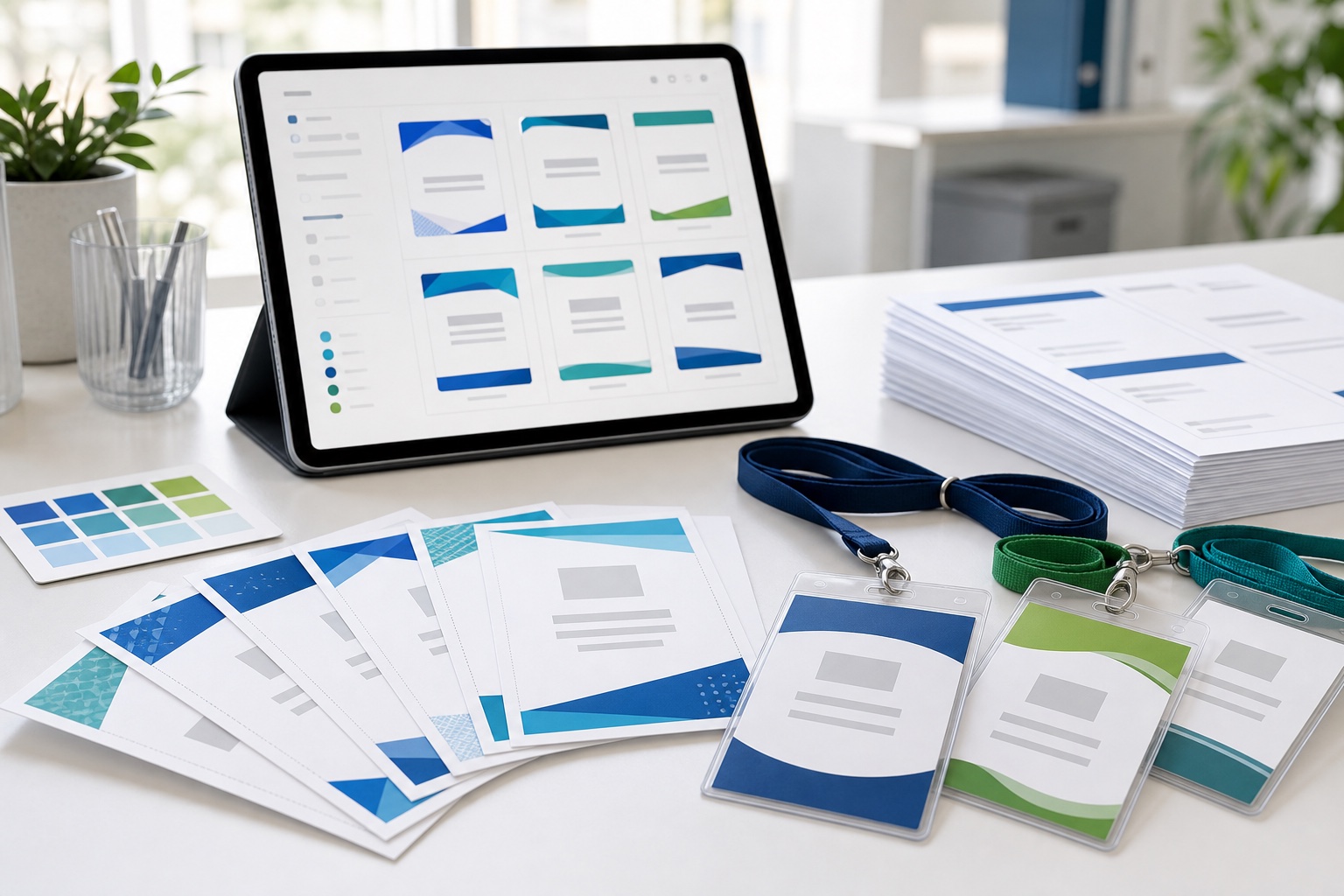
Create Professional Name Tags Without Complicated Design Software
Printable name tags are a small detail that can make a big difference at an event. Whether you are organizing a conference, workshop, networking event, school activity, corporate training session, wedding, or community gathering, clear name tags help people connect faster.
The problem is that many traditional name tag templates are difficult to scale. A static PDF, Word file, or generic label template may be fine for a few names, but it quickly becomes frustrating when you need to create 100, 300, or 500+ personalized badges.
BadgeFlow gives you a faster workflow: start with a customizable name tag template, add your attendee data, adjust the design, preview the badges, and download a print-ready PDF. If your guest list is already in a spreadsheet, read our guide on creating name badges from Excel.
What Are Printable Name Tag Templates?
Printable name tag templates are pre-designed badge layouts that you can customize and print. They give you a ready-made structure for names, companies, roles, logos, event branding, QR codes, barcodes, and other attendee details.
A good printable name tag template should help you create badges that are:
- easy to read at a glance
- consistent across all attendees
- aligned correctly on your chosen paper or badge inserts
- customized for your event branding
- ready to print as a PDF
For larger events, templates are especially useful because they keep every badge consistent while still allowing each attendee’s information to be personalized automatically.
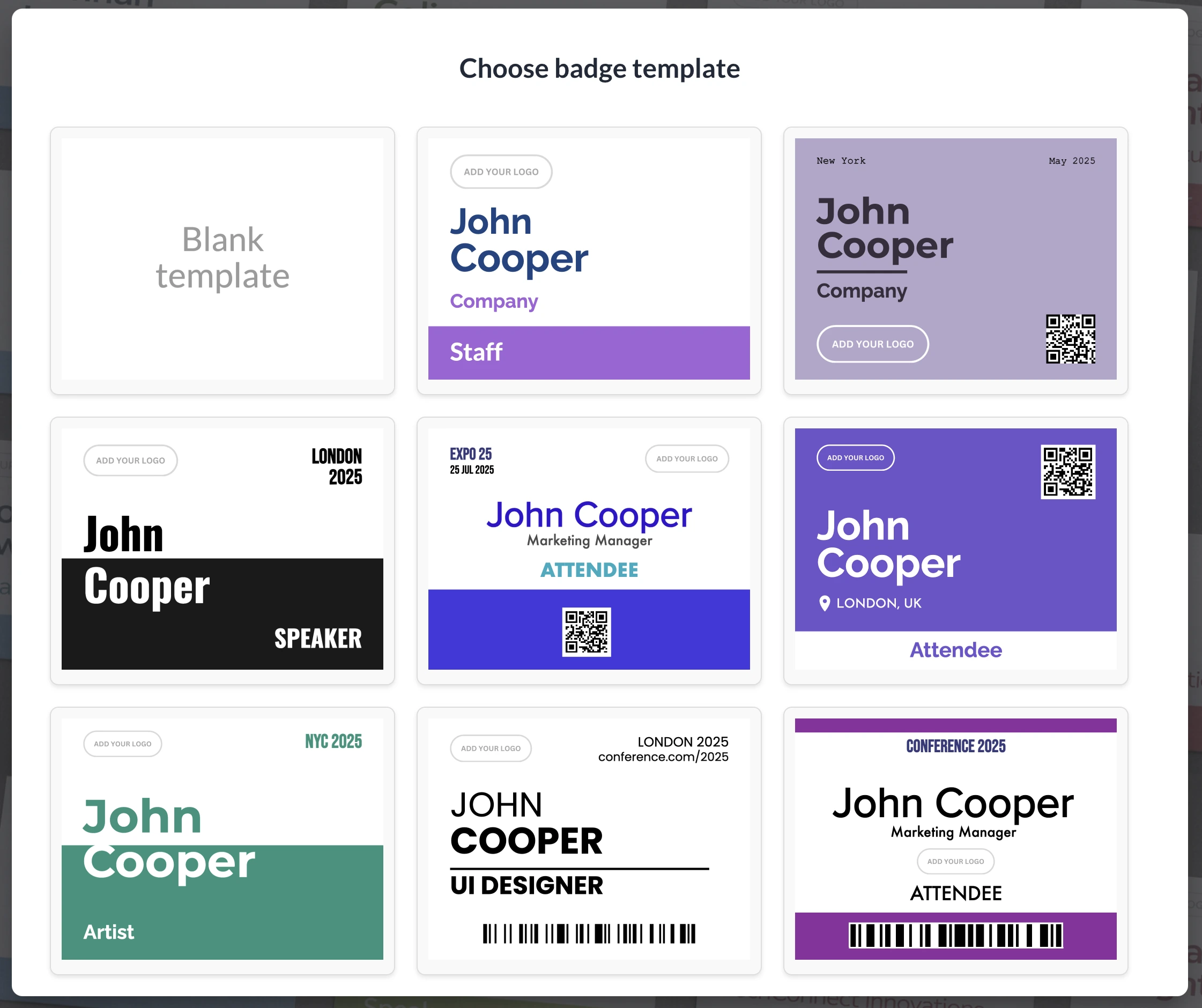
Why Customizable Name Tag Templates Work Better Than Generic Templates
Many free name tag templates are limited. They often come as fixed documents where you manually replace placeholder names, duplicate pages, adjust margins, and hope the final printout lines up correctly.
Customizable name tag templates are more flexible. In BadgeFlow, you can edit the layout, choose fonts and colors, add logos, include extra attendee fields, and generate badges from spreadsheet-style data. This makes the workflow much easier than rebuilding a layout in Word every time something changes.
If you are deciding between a traditional document workflow and a badge generator, see our comparison of mail merge name tags vs an online badge generator.
Printable Name Tag Templates for Every Event Type
Different events need different badge layouts. A meetup may only need a first name and company. A conference badge may need a large name, role, organization, QR code, attendee type, and sponsor branding. A wedding name tag may use a more decorative layout with table numbers or guest groups.
Conference Name Tag Templates
Conference name tags should be readable, professional, and useful for networking. Large first names, clear company names, and role labels such as Speaker, VIP, Staff, Exhibitor, or Press can make the event experience smoother.
For layout, spacing, font size, and visual hierarchy tips, read our guide on how to design conference name badges.
Corporate Meeting and Workshop Name Tags
For corporate meetings, trainings, and internal workshops, name tags help employees, clients, guests, and partners identify each other quickly. You can include company logos, departments, job titles, and brand colors.
For company events, you may also find our guide on branded badges for company offsites and team events useful.
School and University Name Tags
Printable name tags are useful for open days, student orientations, parent meetings, club events, and university workshops. Templates can include names, class groups, roles, or event details.
Wedding and Party Name Tags
For weddings and private events, name tag templates can be customized with elegant fonts, colors, table numbers, guest groups, or meal choices. They can also work as simple place cards or seating labels.
Networking Event Name Tags
At networking events, readability matters most. A strong template makes the attendee’s name the main focus, with supporting context such as company, role, or industry underneath.
Import Names from Excel, Google Sheets, CSV, or Event Platforms
One of the hardest parts of name tag printing is adding attendee data. If you already have names in Excel, Google Sheets, CSV, or an export from an event platform, you should not have to copy and paste each name manually.
With BadgeFlow, you can import or paste attendee data, map spreadsheet columns to your badge design, and generate one personalized name tag per row.
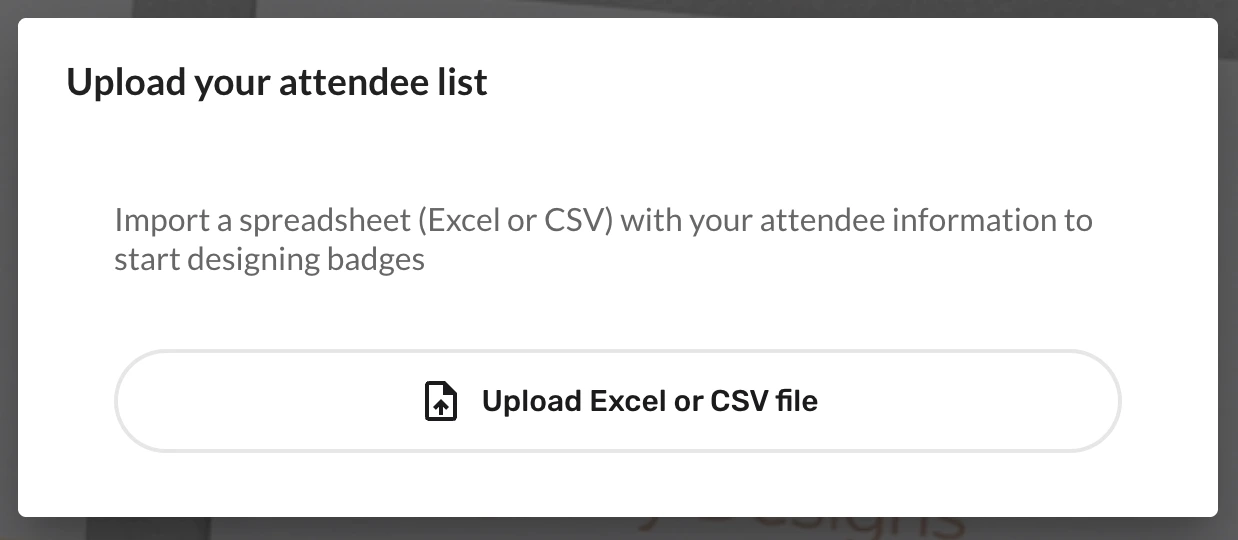
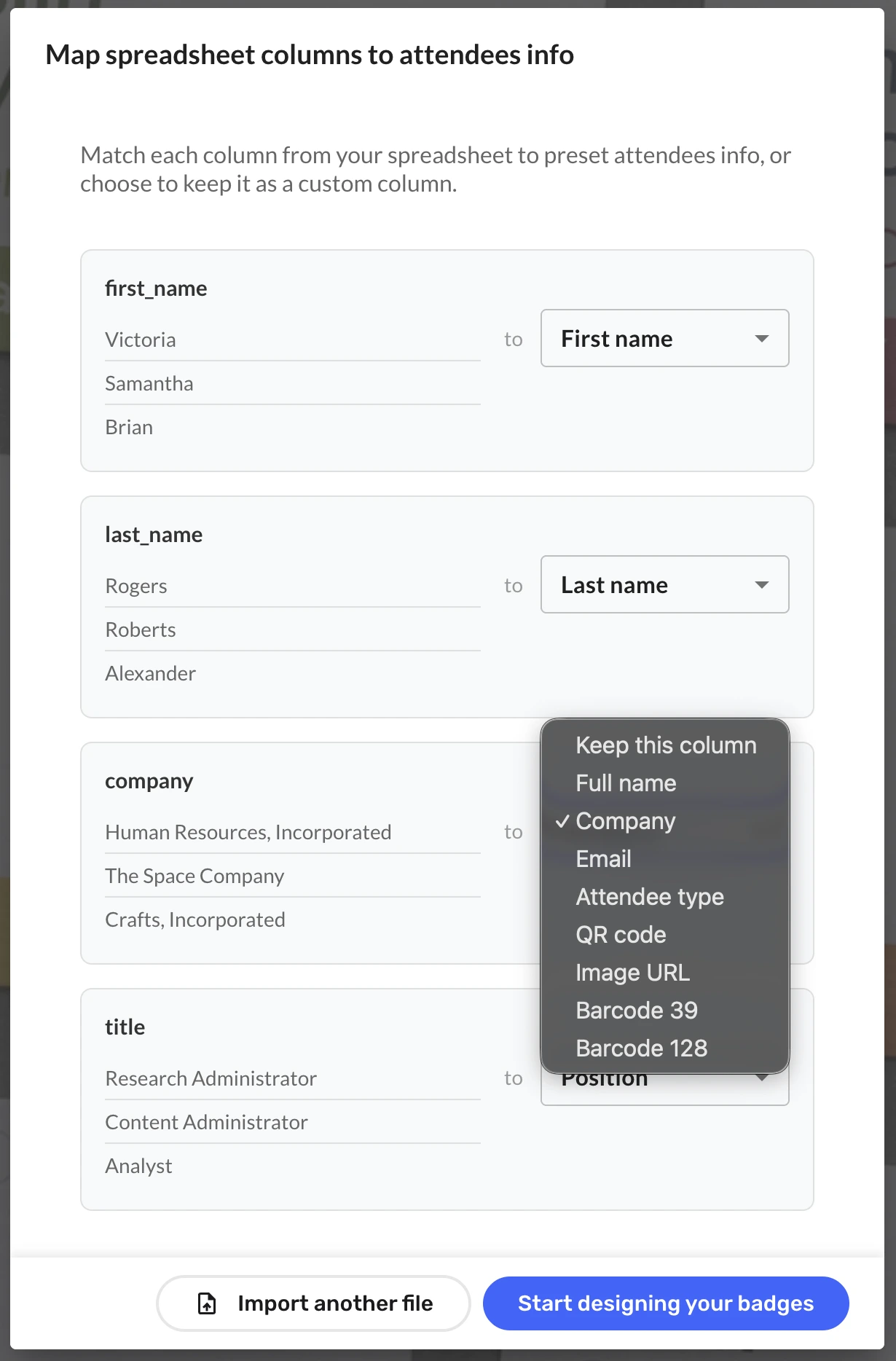
Your spreadsheet might include fields such as:
- First name
- Last name
- Company
- Job title
- Ticket type
- Attendee type
- QR code value
- Barcode value
- Table number
For larger events, use our attendee spreadsheet template for large conferences to avoid messy data, duplicate records, missing badge fields, and last-minute reprints.
If your attendee list comes from a ticketing or event platform, these guides may help:
Customize Badge Size, Paper Size, and Layout
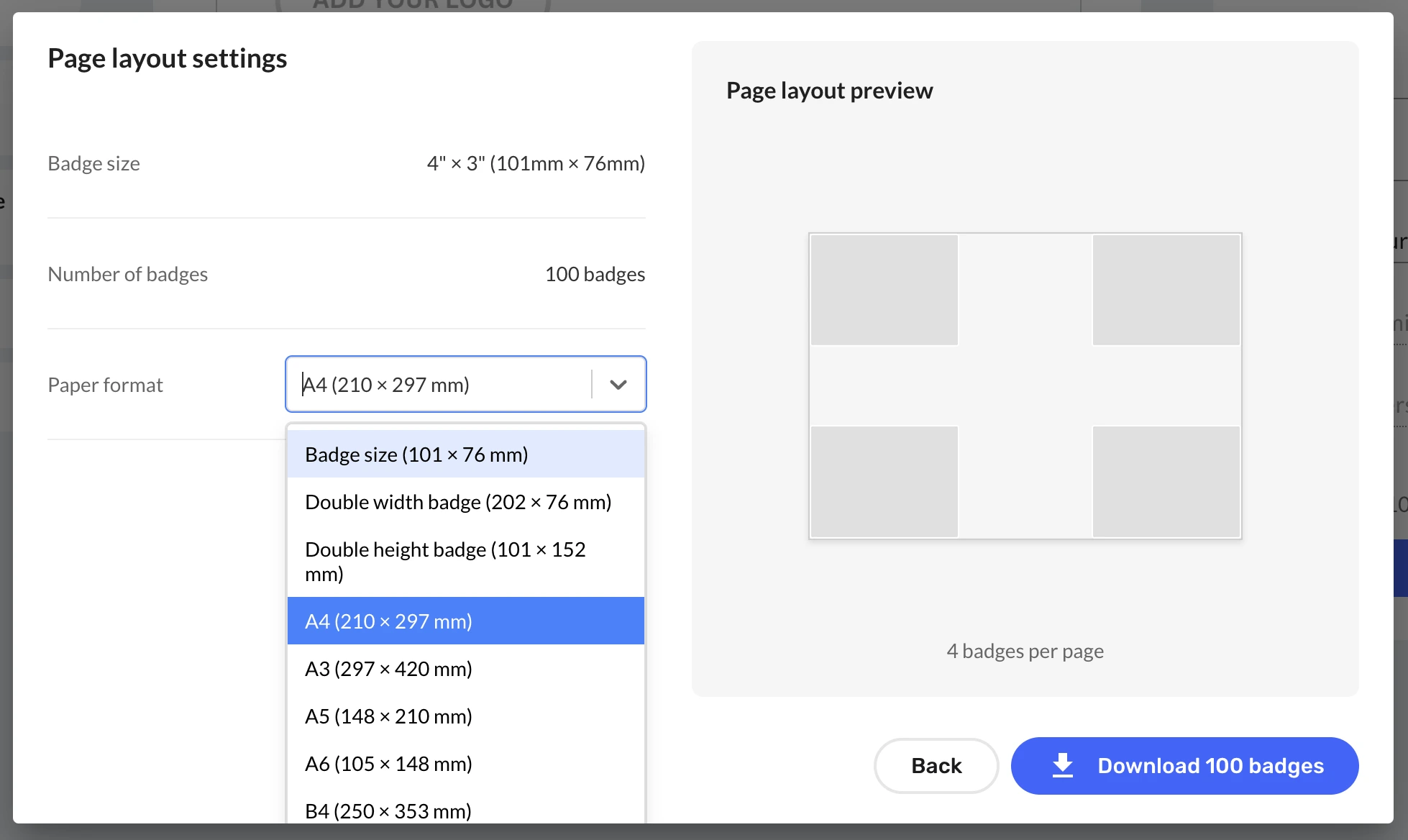
Not every event uses the same name tag format. Some organizers print on A4 or US Letter paper. Others use badge inserts, adhesive labels, lanyard holders, or Avery®-compatible sheets.
BadgeFlow supports flexible badge and paper setup, so you can create printable name tags for different formats, including common event badge sizes and custom dimensions.
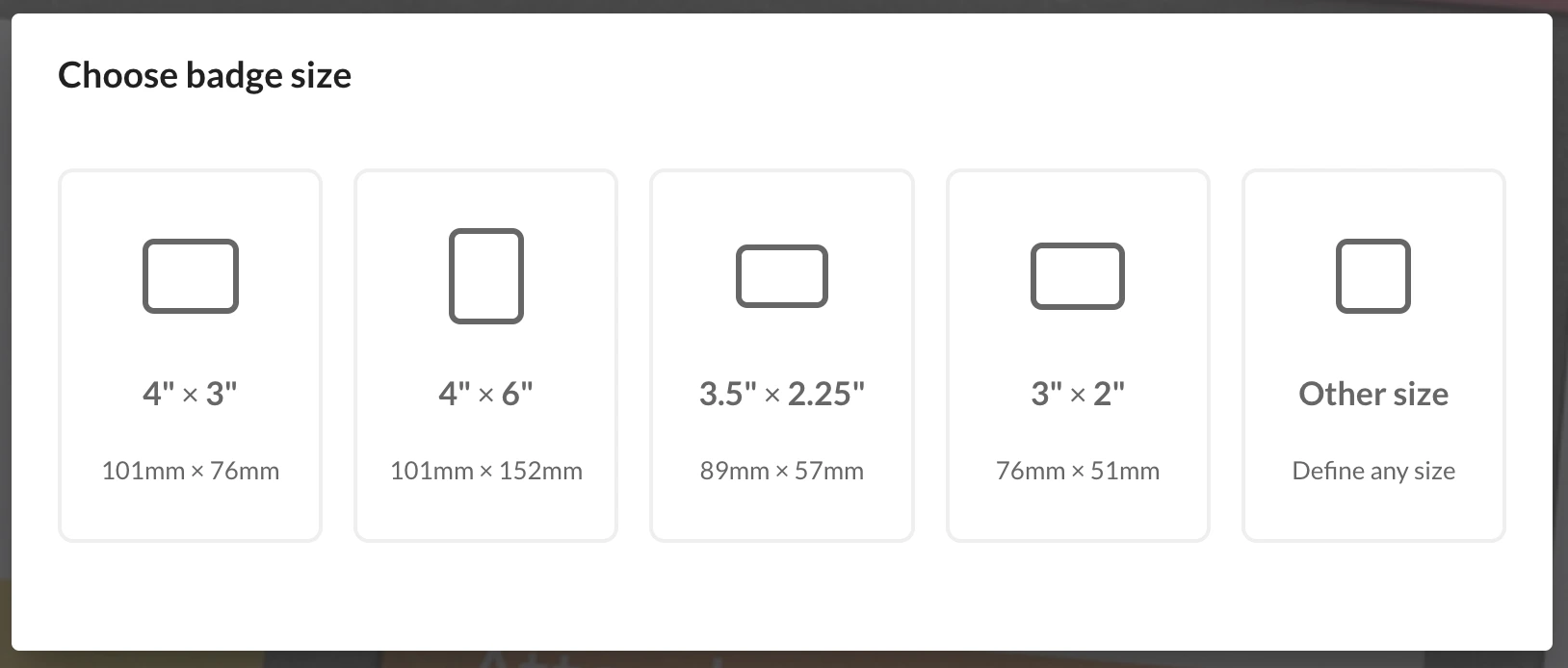
Popular badge formats include:
- 4″ × 3″ name badges
- 4″ × 6″ conference badges
- 3.5″ × 2.25″ badge inserts
- 3″ × 2″ name tags
- A6 and A7 event badges
- A4 and US Letter print layouts
- custom badge and paper sizes
Not sure which format to choose? Start with our event badge size guide or, for conference-specific formats, read the conference badge size guide.
Avery®-Compatible Printable Name Tag Templates
If you already bought Avery®-style badge sheets or inserts, you need a template that matches the physical layout. BadgeFlow supports Avery®-compatible name badge layouts, so you can keep familiar paper stock while using a faster spreadsheet-to-PDF workflow.
Common formats include Avery®-style badge inserts, adhesive name badges, and self-laminating ID card layouts. For more details, read our guide to Avery®-compatible name badge templates for events.
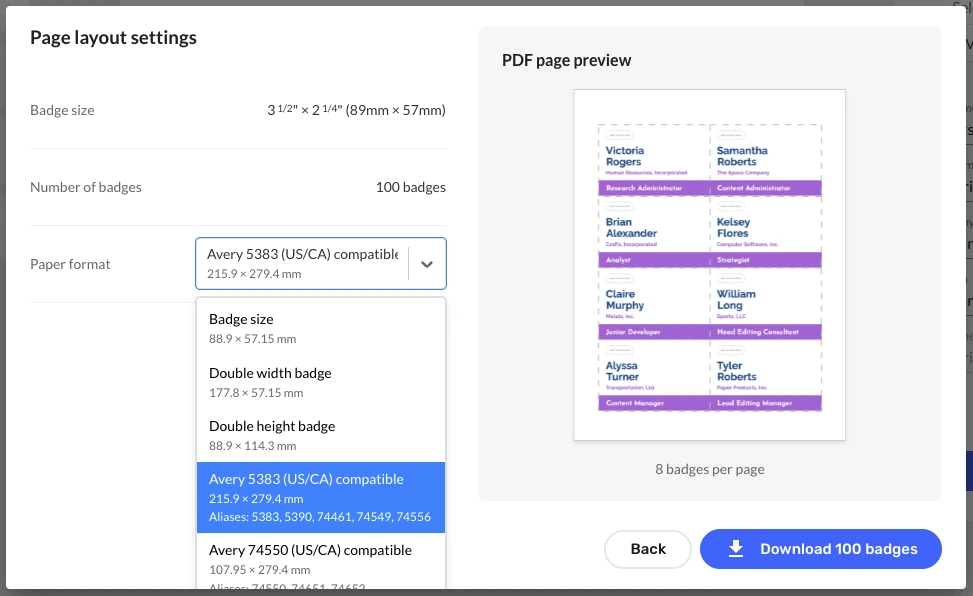
If you are using a specific Avery® product, you may also want to check these guides:
- How to Print Avery® 5361 Name Badges from Excel
- How to Print Avery® 5362 Name Badges from Excel
- How to Print Avery® 5383 Name Badges from Excel
- How to Print Avery® 5384 Name Badges from Excel
- How to Print Avery® 5390 Name Badges from Excel
- How to Print Avery® 5392 Name Badges from Excel
- How to Print Avery® 5393 Name Badges from Excel
- How to Print Avery® 5395 Name Badges from Excel
- How to Print Avery® 74459 Name Badges from Excel
- How to Print Avery® 74536 Name Badges from Excel
- How to Print Avery® 74540 Name Badges from Excel
- How to Print Avery® 74541 Name Badges from Excel
- How to Print Avery® 78617 Name Badges from Excel
- How to Print Avery® 78619 Name Badges from Excel
Add Logos, QR Codes, Barcodes, Photos, and Custom Fields
A modern event name tag often needs more than a name. Depending on your event, you may want to add branding, identification, access control, or scanning elements.
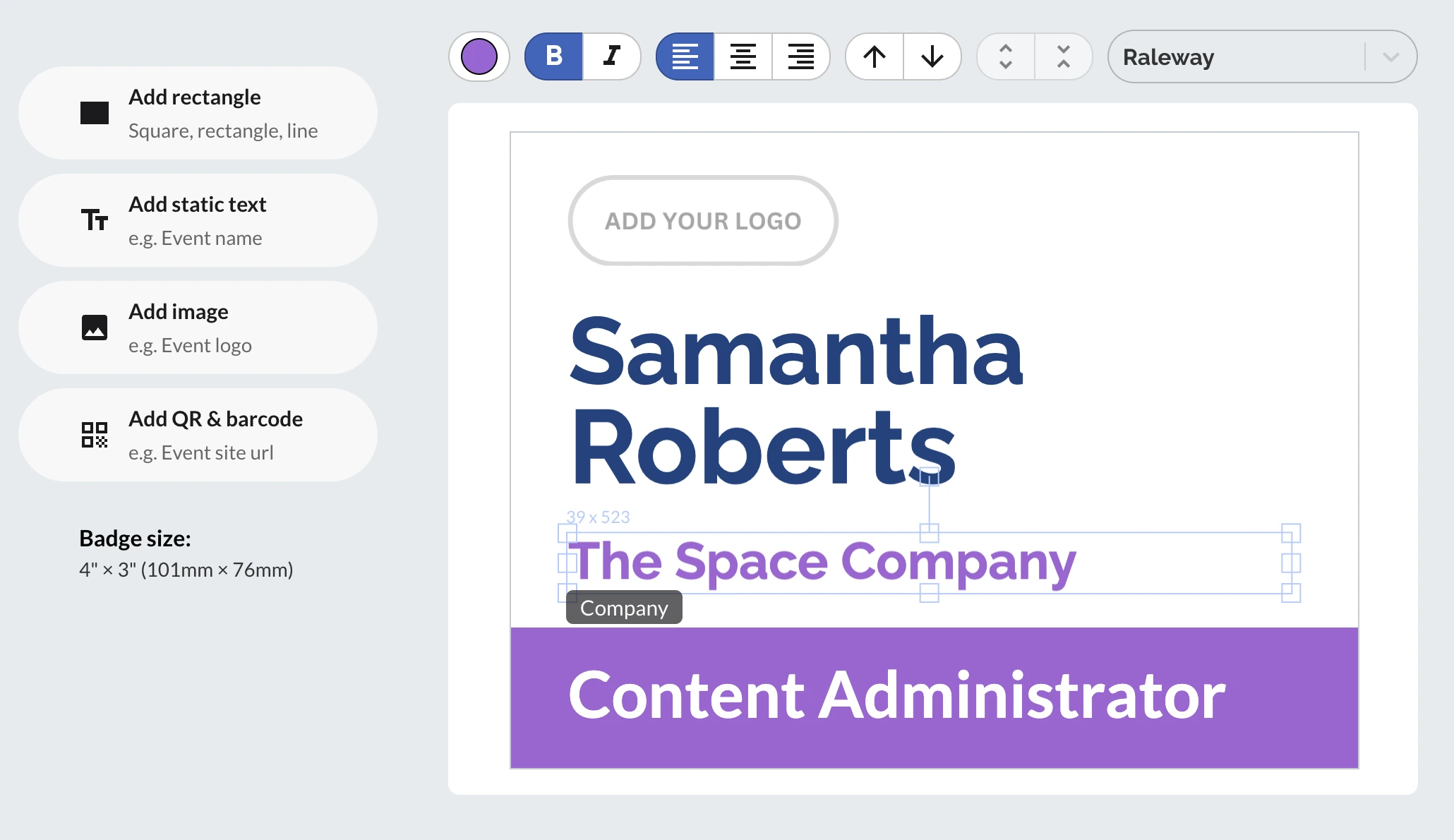
With BadgeFlow, you can customize printable name tag templates with:
- event logos
- company logos
- sponsor graphics
- QR codes
- barcodes
- attendee photos
- custom text fields
- shapes and background colors
- different fonts, sizes, and alignments
QR codes and barcodes can be useful for check-in, lead retrieval, access control, session scanning, or internal tracking. For more guidance, read QR codes and barcodes on name badges. For conference-specific scanning workflows, see QR codes on conference badges.
Create Different Name Tags for Attendees, Speakers, Staff, and VIPs
Many events have several attendee categories. A customizable template makes it easier to visually separate different groups while keeping the overall event branding consistent.
Common badge types include:
- Attendee
- Speaker
- Sponsor
- Exhibitor
- VIP
- Staff
- Volunteer
- Press
- Visitor
You can use different labels, colors, headers, or layout elements to make each type clear. This helps staff identify people quickly and gives attendees a smoother event experience.
Export Print-Ready Name Tags as a PDF
Once your name tags are ready, you need a file that prints correctly. BadgeFlow exports your name tags as a print-ready PDF, which helps preserve layout, spacing, fonts, and badge placement better than editable documents.
Before printing the full batch, print one test page first. Check that the badge size, margins, scaling, and alignment match your paper, badge inserts, or label sheets.
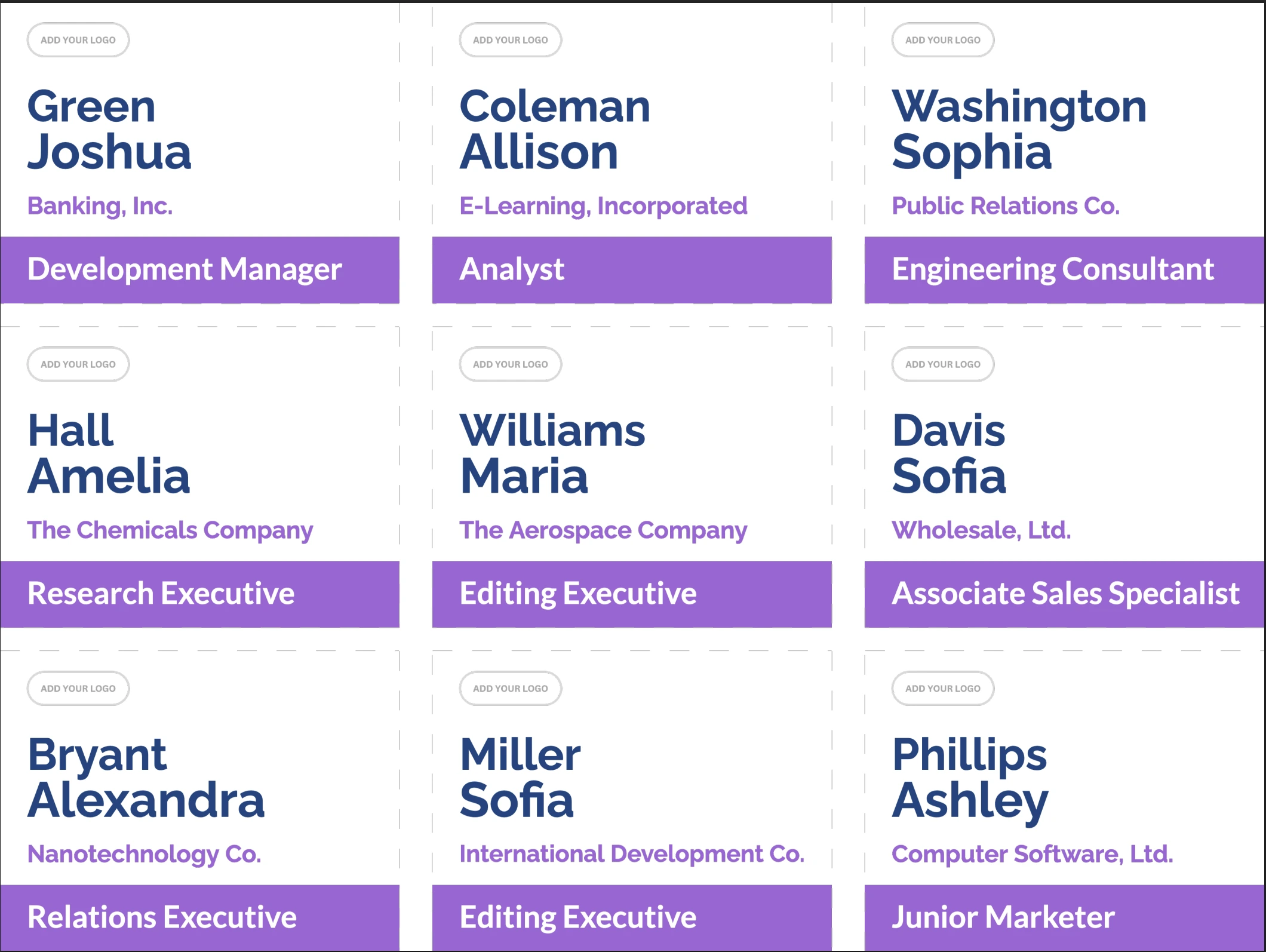
For a low-cost printing workflow, read printing event badges on a budget.
How to Create Printable Name Tags with BadgeFlow
- Prepare your attendee list. Use Excel, Google Sheets, CSV, or an export from your registration platform.
- Open BadgeFlow. Start with a ready-made template or create your own layout.
- Import your data. Map columns such as name, company, role, attendee type, QR value, or table number.
- Customize the design. Adjust fonts, colors, logos, sizes, spacing, and layout.
- Preview your badges. Check long names, missing fields, QR codes, and layout consistency.
- Export a print-ready PDF. Print on your chosen paper, inserts, labels, or badge stock.
Tips for Designing Better Printable Name Tags
Make the Name Large
The attendee’s name should be the most visible part of the badge. At conferences and networking events, people should be able to read it from a comfortable distance.
Keep the Layout Clean
Avoid overcrowding the template. Include the information attendees actually need, such as name, company, role, attendee type, or QR code.
Use Strong Contrast
Dark text on a light background is usually easiest to read. If you use brand colors, make sure the name and key details remain clear.
Include Company or Role for Business Events
Company names and job titles help people start conversations faster at conferences, workshops, and networking events.
Use Attendee Type Labels
Labels such as Speaker, Staff, VIP, Sponsor, or Exhibitor make it easier to understand someone’s role at a glance.
Test Before Printing
Always print a sample page before printing every name tag. This helps you catch sizing, margin, alignment, and scaling issues early.
Printable and Customizable Name Tag Templates for Small and Large Events
Whether you are preparing 20 name tags for a small workshop or 500+ badges for a conference, customizable templates can save time and reduce mistakes.
BadgeFlow is useful for:
- one-day workshops
- multi-day conferences
- business networking events
- corporate meetings
- school and university events
- fundraisers
- weddings and private parties
- trade shows and expos
- community gatherings
Instead of editing each badge manually, you can build a reusable design, add your attendee data, and generate a clean PDF that is ready to print.
FAQ: Printable and Customizable Name Tag Templates
What is a printable name tag template?
A printable name tag template is a ready-made badge layout that you can customize with names, companies, roles, logos, colors, QR codes, barcodes, and other event details before printing.
Can I create name tags from Excel?
Yes. With BadgeFlow, you can import attendee data from Excel, Google Sheets, or CSV, map spreadsheet columns to your badge design, and export personalized name tags as a print-ready PDF.
Can I customize the size of my name tags?
Yes. BadgeFlow supports common badge sizes, paper sizes, and custom dimensions, so you can create name tags for different badge holders, inserts, labels, or print layouts.
Can I add QR codes or barcodes to name tags?
Yes. You can add QR codes and barcodes to name tags and generate unique codes from spreadsheet fields, which is useful for check-in, access control, lead retrieval, and attendee tracking.
Are BadgeFlow templates Avery®-compatible?
BadgeFlow supports Avery®-compatible badge layouts, including common US and UK/EU formats. You can match your badge layout to the paper stock or badge inserts you plan to use.
Do I need design software to create printable name tags?
No. BadgeFlow works in your browser, so you can design, customize, preview, and export name tags without using Word, Illustrator, InDesign, or manual mail merge.