
Best Brother QL Printers for Name Badges and Events
Choose a Brother QL printer from the physical badge width first. The QL-820NWBc is a flexible compact networked printer for labels up to about 61 mm of print width. The QL-1110NWBc is the relevant wide model for four-inch-class event media.
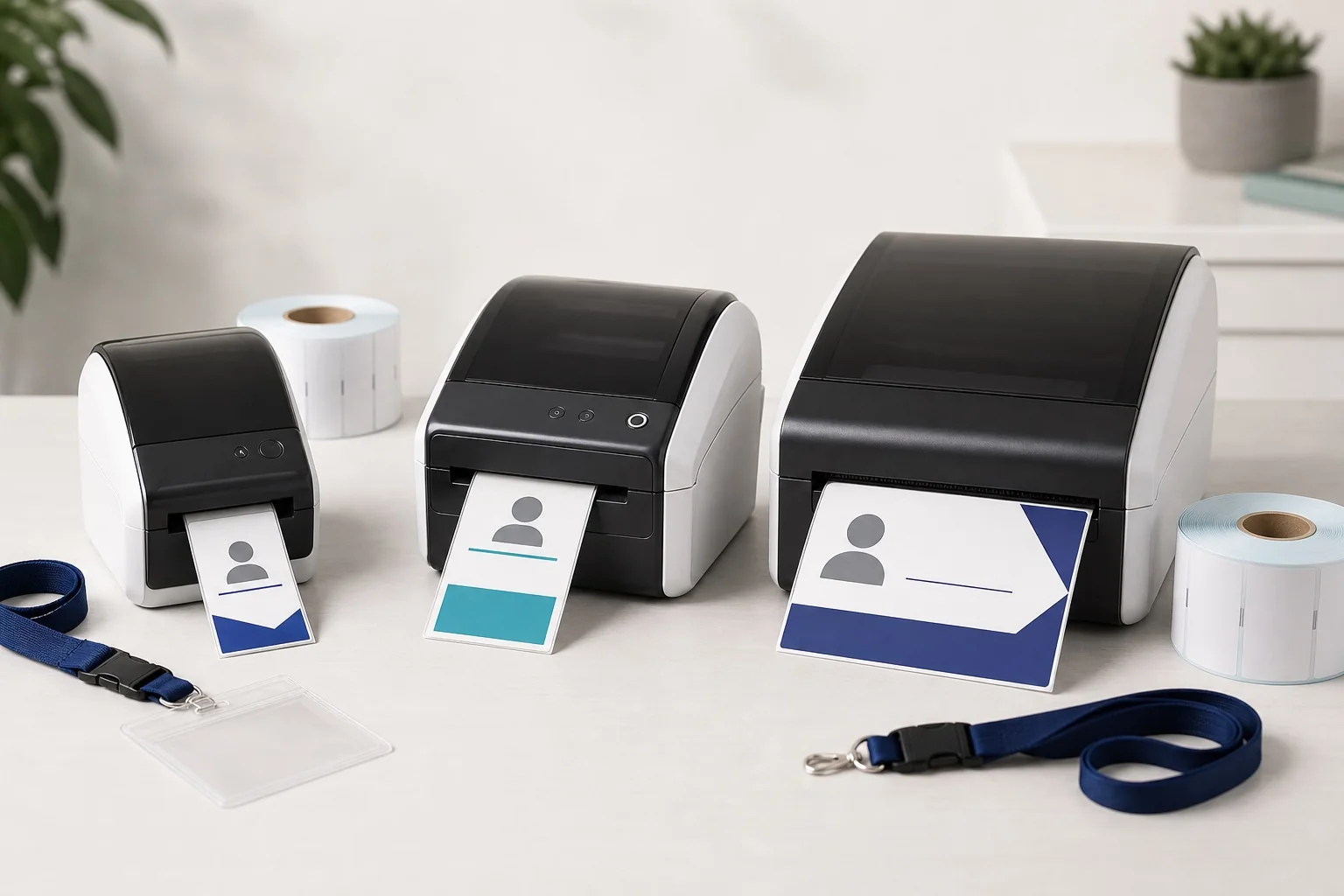
- Best budget USB model: QL-700.
- Best compact modern USB model: QL-800.
- Best compact Wi-Fi model: QL-810Wc.
- Best compact networked event model: QL-820NWBc.
- Best wide Brother QL: QL-1110NWBc.
Brother QL model comparison
| Model | Maximum print width/height listed | Connectivity | Listed speed | Best use |
|---|---|---|---|---|
| QL-700 | 59 mm maximum print height | USB | 93 standard address labels/min in Brother test | Budget desktop labels |
| QL-800 | 58 mm maximum print width | USB | 93 labels/min; 148 mm/s in stated test | Modern compact labels and black/red option |
| QL-810Wc | 60.96 mm maximum print width | USB, Wi-Fi | Model specifications vary by test format | Wireless meetup and visitor badges |
| QL-820NWBc | 60.96 mm maximum print width | USB, Ethernet, Wi-Fi, Bluetooth | 110 labels/min; 176 mm/s in stated test | Networked reception and event exceptions |
| QL-1110NWBc | 101.66 mm maximum print width | USB, Ethernet, Wi-Fi, Bluetooth | 110 mm/s | Wide labels and four-inch-class passes |
The most important dividing line: compact or wide
QL-700 through QL-820 models are built around media up to 62 mm wide. That is useful for visitor labels but smaller than the short edge of common 4 × 3, A7 and A6 conference passes. The QL-1110NWBc moves to a 101.66 mm print width.
Compare the exact formats in the conference badge dimensions guide before selecting a model.
Brother QL-700: best low-cost USB starting point
The QL-700 is a direct-thermal USB printer using DK die-cut and continuous rolls. Brother lists a maximum print height of 59 mm and up to 93 standard address labels per minute in its stated environment. It includes an integrated cutter and can print continuous labels up to one metre long.
Choose it when
- The printer remains attached to one laptop.
- You need simple advance labels or a small exception desk.
- A 59 mm-class printable dimension fits the design.
- Budget matters more than network flexibility.
Avoid it when
- Several registration devices need shared access.
- The badge is wider than the compact QL print area.
- You need a modern wireless or mobile workflow.
Brother QL-800: best compact USB model
The QL-800 lists a 58 mm maximum print width, 300 × 300 dpi standard resolution and a higher-resolution mode. It can use compatible black-and-red stock. This can add a simple red VISITOR or VIP treatment, but the output is not comparable with full-colour inkjet.
Use it for a desk with one controlled laptop and predictable rolls. It is not the best investment if event teams need Ethernet, Wi-Fi or a larger badge.
Brother QL-810Wc: best compact wireless model
The QL-810Wc adds Wi-Fi to the compact QL workflow and lists a 60.96 mm maximum print width. It can suit flexible reception or workshop layouts where a cable to the laptop is inconvenient. Wi-Fi should still be tested at the venue and backed by USB.
Brother QL-820NWBc: best compact networked event option
The QL-820NWBc adds Ethernet and Bluetooth alongside USB and Wi-Fi. It is the strongest compact QL option for a shared reception or event exception desk. Brother lists 110 labels per minute and 176 mm/s in stated test conditions, with a 60.96 mm maximum print width.
Its limitation is physical, not software: it remains too narrow for a full 4 × 3-inch pass across the 76.2 mm edge. Use it for narrow labels or apply its output to a larger pre-printed shell.
Brother QL-1110NWBc: best wide-format QL
The QL-1110NWBc lists a 101.66 mm print width and 103.6 mm maximum label width, plus USB, wired network, Wi-Fi and Bluetooth. It is the Brother QL model to evaluate for 4 × 3 and 4 × 6-inch badge formats.
A nominal 4-inch edge is 101.6 mm, leaving almost no width difference from the listed maximum print width. The actual media, driver margins and design safe area matter. Print a physical proof before buying stock in quantity.
Badge-format compatibility
| Badge format | Compact QL-700–820 class | QL-1110NWBc |
|---|---|---|
| 41 × 89 mm name label | Good with suitable Brother roll dimensions | Fits but wide model may be unnecessary |
| 62 mm continuous label | Native class | Fits |
| 4 × 3 in | Too narrow across 76.2 mm | Potentially suitable |
| 4 × 6 in | Too narrow | Potentially suitable at 101.6 mm width |
| A7, 74 × 105 mm | Too narrow across 74 mm | Potentially suitable with 74 mm across head |
| A6, 105 × 148 mm | Too narrow | 105 mm exceeds listed 101.66 mm print width |
| 90 × 60 mm holder insert | 60 mm may fit at the physical limit; safe margins matter | Fits more comfortably |
Do not use the holder’s outside plastic dimensions. Verify the actual insert and visible area in the badge holder size guide.
Best model by event use case
| Use case | Recommended model | Reason |
|---|---|---|
| Occasional visitor labels | QL-700 or QL-800 | Simple USB workflow |
| Wireless workshop badges | QL-810Wc | Compact Wi-Fi option |
| Networked visitor desk | QL-820NWBc | Ethernet, Wi-Fi, Bluetooth and USB |
| Conference exception labels | QL-820NWBc | Flexible compact station |
| Four-inch conference pass | QL-1110NWBc | Wide print class |
| Full-colour attendee badge | None of these | Use colour laser or ColorWorks |
| A6 portrait pass | None in a 105 mm width orientation | Use wider colour/industrial or sheet printer |
Brother QL for onsite registration
The QL-820NWBc and QL-1110NWBc have the connectivity required for many onsite desks. Hardware alone is not a complete check-in system. You still need attendee lookup, PDF selection, media, spare devices, power and an exception workflow. Read the onsite badge printing guide.
Brother QL for walk-ins and replacements
A compact QL can be more valuable as a fallback than as the main printer. Pre-print branded passes, keep blank stock and apply a newly printed attendee label to a replacement card. This reduces colour and size requirements at the desk. Use the walk-in and replacement badge process.
BadgeFlow compatibility
- Import the attendee list using name badges from Excel.
- Set the BadgeFlow canvas to the exact DK label or finished pass dimensions.
- Use a monochrome high-contrast layout.
- Export one badge per PDF page.
- Select the exact Brother media in the driver.
- Print at 100% or actual size.
- Test cutting, long names and codes.
For detailed implementation, follow how to print conference badges with Brother QL printers.
QR-code and barcode considerations
All models listed have sufficient nominal resolution for many well-sized QR codes. The physical code size is the governing factor. Compact labels have less room, so remove decorative fields rather than shrinking the code. Follow QR and barcode badge printing guidance.
Cost considerations
- Printer purchase and number of stations
- Genuine DK rolls and local availability
- Waste from setup and cutting
- Spare printer and power supply
- Network and laptop preparation
- Pre-printed shells for compact models
- Staff time for applying labels and loading holders
The budget event badge printing guide helps compare a QL investment with office-printer inserts.
Buying checklist
- Measure the finished badge in millimetres.
- Confirm maximum print width, not just roll width.
- Choose required connectivity.
- Check current operating-system drivers.
- Order the actual DK roll and print a proof.
- Confirm the cutter behaviour for one-badge-per-page PDFs.
- Scan QR codes after printing.
- Buy identical models for redundancy where practical.
- Keep a wider or sheet-based fallback for incompatible formats.
Brother QL buying decision tree
- Is the required printable width above 61 mm? Choose QL-1110NWBc or another wide printer.
- Do you need wired Ethernet? Choose QL-820NWBc or QL-1110NWBc.
- Do you need Wi-Fi but not Ethernet? QL-810Wc may be sufficient.
- Is one USB laptop acceptable? QL-700 or QL-800 can be economical.
- Do you need black/red output? Confirm compatible model and DK roll.
- Do you need full colour? Leave the QL range and evaluate laser or colour label inkjet.
Connectivity comparison in practice
| Need | USB | Wi-Fi | Ethernet | Bluetooth |
|---|---|---|---|---|
| One controlled desk | Excellent | Optional | Optional | Usually unnecessary |
| Several laptops | Manual cable sharing | Possible but venue dependent | Strong shared option | Platform dependent |
| Permanent reception | Good | Good with managed network | Usually strongest | Useful for selected mobile devices |
| Temporary conference desk | Good fallback | Flexible but test congestion | Stable with venue support | Secondary |
| Troubleshooting | Easiest to isolate | More variables | Requires network access | App/OS variables |
Stock choice by Brother model
Compact QL models use the 62 mm DK family. The wide QL-1110 uses broader rolls as well as selected narrower DK stock. Choose the actual badge first and then find an approved roll. Do not design from the starter roll included with the printer unless that roll is the intended production stock.
- Fixed die-cut labels for repeatable visitor badges
- Continuous paper for custom label length
- Film labels for selected durability requirements
- Wide 4-inch-class rolls for QL-1110
- Black/red rolls for limited two-colour designs on supported models
Recurring-event standardisation
For monthly or annual events, create a hardware standard:
- One approved model and resolution
- One primary and one fallback stock code
- One driver version and operating-system image
- One approved BadgeFlow template
- One physical control label
- One spare printer ratio
- One cleaning and storage procedure
This reduces the risk that each organiser improvises a different label size or connection.
Scenario recommendations
Small coworking reception
QL-700 or QL-800 is sufficient when one reception PC prints simple visitor labels. A network model is unnecessary unless multiple desks share the device.
Large office reception
QL-820NWBc provides Ethernet and wireless options. Standardise one visitor label and keep a second printer in storage with the driver already installed.
Conference with pre-printed branded passes
Use QL-820NWBc for attendee-name labels applied to blank shells. The QL-1110 may be unnecessary if only the name zone is printed.
Conference printing complete 4 × 6 passes
Evaluate QL-1110NWBc with exact stock. Compare it with Zebra ZD421/ZD621 because Zebra may offer a broader professional event-media ecosystem and thermal-transfer variants.
Brother QL versus non-QL Brother printers
Brother also sells TD and industrial TJ label printers. Those may provide four-inch widths, thermal-transfer variants or higher-duty operation. This article focuses on QL because the search intent is Brother QL name badges. A large event should not restrict its hardware decision to the QL family if another printer class fits better.
Spare-printer strategy
Keep the spare as the same model and configure it in advance. Store a compatible roll inside or next to it, label the power supply and print a control badge. An unopened printer that needs driver installation is inventory, not operational redundancy.
Evaluation scorecard
| Criterion | Weight suggestion | Question |
|---|---|---|
| Badge-width fit | Mandatory | Does the complete design fit with safe margins? |
| Media availability | High | Can the exact roll be sourced quickly? |
| Connectivity | Medium/high | Does it match the desk and network architecture? |
| Driver support | High | Does every event laptop expose the custom size? |
| Output quality | High | Do names and codes pass the physical test? |
| Redundancy cost | High | Can the event afford an identical spare? |
| Operator simplicity | Medium | Can staff load rolls and recover from basic faults? |
| Full-colour need | Mandatory decision | If yes, is QL the wrong category? |
Detailed pros and cons by model
| Model | Pros | Cons |
|---|---|---|
| QL-700 | Low-complexity USB setup; cutter; continuous roll support | Older/basic connectivity; narrow print class |
| QL-800 | Modern compact USB; high-resolution mode; black/red capability | No network focus; 58 mm print width |
| QL-810Wc | Wi-Fi plus USB; compact; mobile options | No wired Ethernet; venue Wi-Fi risk |
| QL-820NWBc | USB, Ethernet, Wi-Fi and Bluetooth; display/control; fastest compact QL class | Still only about 61 mm print width |
| QL-1110NWBc | True four-inch-class print width; broad connectivity | Larger and more expensive; 4-inch fit leaves tight tolerance |
Best Brother QL by budget
Lowest hardware budget: use QL-700 if USB and a narrow label are acceptable. Balanced compact investment: QL-800 for USB or QL-810Wc for wireless. Professional compact event desk: QL-820NWBc. Wide badge requirement: QL-1110NWBc—do not attempt to solve width with a cheaper compact model.
Return-on-investment questions
- How many events use the same stock each year?
- How many staff hours are saved versus sheet cutting and sorting?
- Will the printer be used for visitors outside events?
- How much does compatible stock cost per badge?
- How much does an identical spare cost?
- Does wide hardware reduce the need for pre-printed shells?
- Can the organisation maintain drivers and stock inventory?
Due diligence before purchase
- Download the current driver for the actual event laptop.
- Ask the retailer to confirm the full regional model suffix.
- Buy one production roll, not only rely on starter media.
- Create a BadgeFlow PDF at the intended size.
- Print 50 real attendee records.
- Scan codes and test the holder.
- Verify network discovery and USB fallback.
- Price a spare printer and twelve months of stock.
Brother QL content-density limits
A printer can physically fit a label while the design remains ineffective. Compact models should not attempt to display a photograph, agenda, several logos, job title, company, access level and code simultaneously. Use a larger QL-1110 or another printer category when the information requirement grows.
Final recommendation matrix
| Your requirement | Buy |
|---|---|
| Simple USB name labels | QL-700 or QL-800 |
| Wi-Fi compact labels | QL-810Wc |
| Networked compact visitor desk | QL-820NWBc |
| Four-inch-class Brother output | QL-1110NWBc |
| Full-colour badges | No QL model; use colour printer |
| A6 105 mm width | No QL model in that orientation; use wider process |
| Thermal-transfer durability | Consider Zebra/Brother TD rather than QL |
Frequently asked questions
What is the best Brother QL printer for event name badges?
The QL-820NWBc is the best-connected compact option for narrow labels. The QL-1110NWBc is the better QL choice when the badge needs a four-inch-class print width.
Is the QL-700 still a good badge printer?
It can be a low-cost USB option for simple 62 mm-class labels, but it lacks network connectivity and is unsuitable for many large conference passes.
What is the difference between QL-810Wc and QL-820NWBc?
Both are compact wireless models. The QL-820NWBc adds wired Ethernet, Bluetooth and an integrated display/control capability, making it more flexible for shared or event use.
Can QL-1110NWBc print a 4 × 6 badge?
Its listed maximum print width is about 101.66 mm, matching the nominal 4-inch short edge closely. You must still verify the exact media, printable margins and PDF page settings.
Can Brother QL printers print red?
Selected compact models can print black and red when used with a compatible two-colour DK roll. This is not full-colour printing.
Do Brother QL printers need proprietary rolls?
The QL range uses Brother DK die-cut labels and continuous-length tapes. Verify the exact supported product for the printer.
Which Brother QL is best for networked check-in?
The QL-820NWBc is the networked compact option; the QL-1110NWBc is the networked wide option.
Should I buy multiple cheaper QL printers or one wide model?
Choose from badge width first. Multiple compact printers cannot print a badge that is physically too wide. Once compatibility is confirmed, redundancy may favour multiple identical devices.
Official Brother model pages
Brother and QL are trademarks of Brother Industries, Ltd. BadgeFlow is not affiliated with, tested by or endorsed by Brother.