
How to Design and Print Name Badges for a TEDx Event
Useful TEDx name badges put the attendee’s preferred name first, add a short affiliation or conversation prompt, and use the event’s authorized identity without overwhelming the person wearing it. Prepare those fields in an attendee spreadsheet, build a consistent badge layout, and generate a printable PDF. A physical proof will tell you more about readability than an enlarged design on a laptop screen.
This guide provides independent layout recipes for event organizers. BadgeFlow is not affiliated with TED, and the examples are not official TEDx templates. Use your event’s current official identity assets and organizer guidance when preparing the final design.
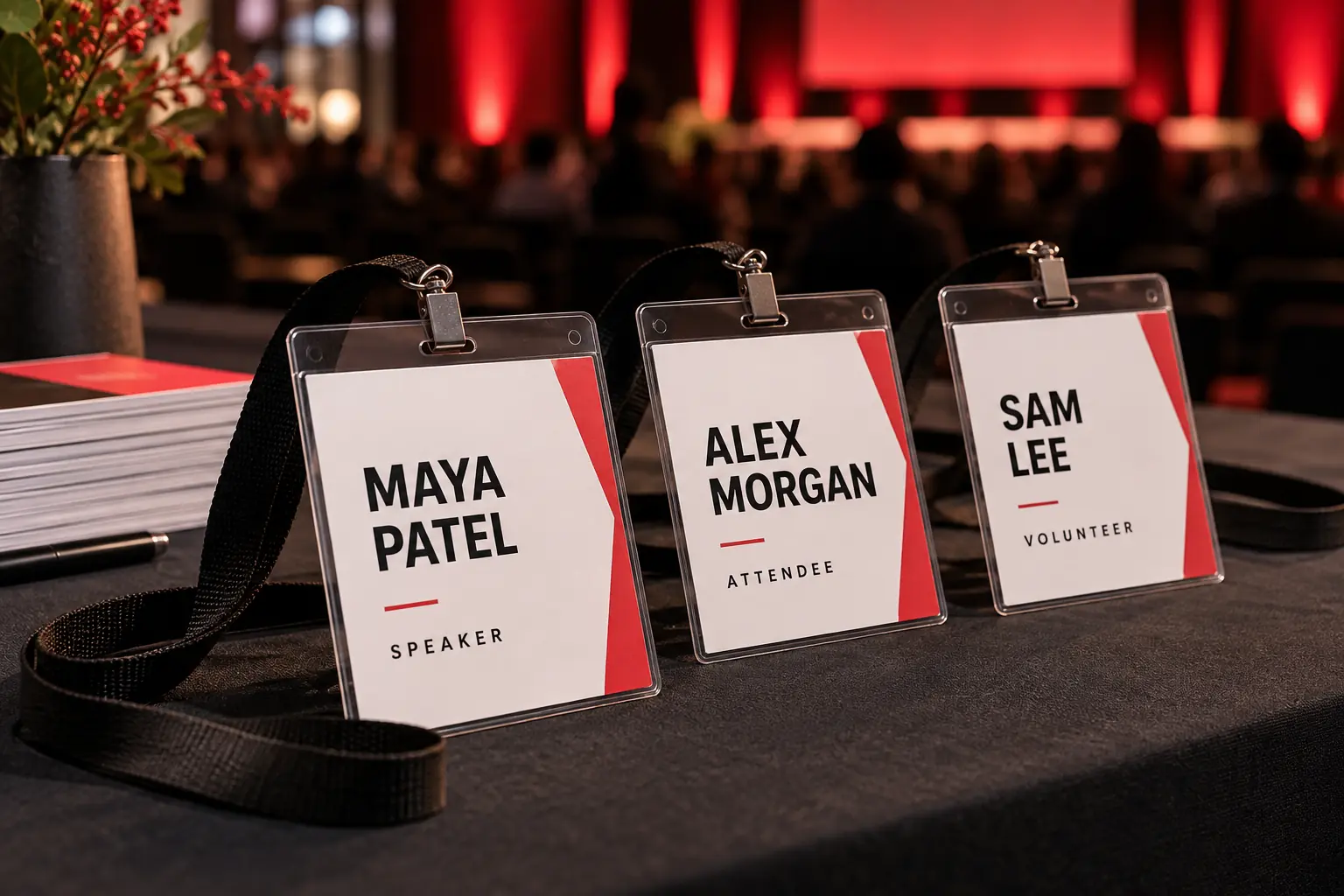
Choose what belongs on the front
A badge should help someone start a conversation while also helping the event team identify useful roles. Those goals are easier to achieve with a small number of deliberate fields than with every item collected during registration.
- Preferred name: the main visual element.
- Affiliation: a company, community, discipline, or other context chosen by the attendee.
- Role: a clear speaker, volunteer, or crew label where useful.
- Conversation prompt: one short optional interest or topic.
- Event identity: the authorized event logo in a consistent area.
Do not force everyone to supply an employer. A person may prefer to identify with a field of interest or a community. Keep optional lines genuinely optional, and ensure a blank affiliation does not leave the name stranded in a large empty area.
Three TEDx badge layouts to recreate
The following recipes specify the arrangement of fields rather than a downloadable design. Recreate them in a badge editor using your own approved identity assets. Sizes are suggestions to test against your stock and holders, not official TEDx requirements.
Attendee: name, context, conversation
Use a landscape 4 × 3-inch insert with a shallow event-identity area, a large name in the middle, and one or two supporting lines below. Keep the conversation prompt shorter than the affiliation wherever possible.
Maya Patel
Community design
Ask me about: neighborhood gardens
This example keeps the person prominent. If the affiliation is long, remove or shorten the optional prompt rather than reducing every field until none is easy to read. Leave clear space near the edges for the holder and manufacturing variation.
Speaker: recognizable identity and role
A portrait 4 × 6-inch pass provides room for a clear SPEAKER label, the person’s name, and a concise affiliation. Keep the same type family and identity placement used on attendee badges so both belong to the same event.
SPEAKER
José Rivera
Urban ecology
The role should be easy for volunteers to recognize without competing with the name. A full talk title, biography, and schedule usually make the front too dense. Put information elsewhere when it is not needed for identification.
Volunteer or crew: name and useful function
Use a landscape insert with a prominent role band, a readable name, and a short team function. For example, a registration volunteer could show VOLUNTEER and “Registration” as separate lines.
VOLUNTEER
Robin Morgan
Registration
Print the role as text even if you add a distinctive color. A visible label makes the design useful when printed in monochrome or viewed by someone who cannot distinguish the chosen colors easily.
| Wearer | Main content | Optional content | Design priority |
|---|---|---|---|
| Attendee | Name | Affiliation and one prompt | Easy introductions |
| Speaker | Name and speaker label | Short affiliation | Recognition by attendees and crew |
| Volunteer/crew | Name and role | Team function | Finding the right person for help |
For a broader role system, see the conference badge template guide. Keep the event-specific additions here focused on introductions and volunteer recognition.
Use the event’s current official branding
TED’s current design and promotion guidance describes using the licensed event name and official logo resources. Use the final authorized asset supplied by your event team. Do not substitute a generic TED logo or redraw the event identity to fit a badge corner.
Keep the logo’s proportions intact. Choose a placement with enough clear space, and check the asset on the actual printed background. If a supplier needs a different file format, convert through an appropriate design workflow while preserving the approved identity.
A smaller, clean logo is often more useful than a large one that forces the attendee’s name into a narrow strip. The logo placement guide explains several ways to share the badge between branding and personal information.
Prepare a badge-ready attendee list
Collect display values rather than expecting the printing operator to infer them from registration notes. Let attendees choose a short conversation prompt. Practical topics such as a hobby, research interest, or local project work better than questions that pressure people to reveal personal information.
| Preferred name | Affiliation | Role | Conversation prompt |
|---|---|---|---|
| Maya Patel | Community design | Attendee | Neighborhood gardens |
| José Rivera | Urban ecology | Speaker | |
| Robin Morgan | Registration | Volunteer | |
| Alexandra Chen-Williams | Center for Community Design and Research | Attendee | Public spaces |
| Sam Lee | Attendee | Repairing bicycles |
Test all five kinds of record before approving the design. The long name and affiliation reveal wrapping problems. Sam’s blank affiliation shows whether optional fields remain tidy. José’s accent checks the complete data and font path.
If staff need a private contact list, keep that separate from the display fields. A field’s presence in the spreadsheet does not mean it should become visible on the badge.
Create the badges in BadgeFlow
- Import the approved attendee spreadsheet.
- Choose a suitable available layout or recreate one of the recipes.
- Set the finished dimensions to match your intended holder or stock.
- Map the name and selected supporting fields.
- Add the authorized event identity and adjust spacing.
- Preview long names, every role, and records with missing optional fields.
- Select the matching paper layout and download the PDF.
The Excel badge guide covers general spreadsheet production. If role designs need different colors or arrangements, use a verified workflow for those variations. Separate prepared batches are a practical planning option; do not assume the editor will automatically apply a different background from a role value.
Keep the shared design decisions consistent across batches: logo position, name hierarchy, margins, and the way roles are labeled. That consistency makes the badge system easier to understand and easier to proof.
Test the physical badge before the full run
Print a proof at the intended physical size, using Actual size or 100% scaling where the PDF matches the stock. Look at the badge while someone wears it. Check the name at a natural conversation distance rather than judging an enlarged screen preview.
Put the proof in the holder and attach the planned clip or lanyard. Seams, glare, holes, and rotation can change what remains visible. Do not place essential information beneath a clip or at the very edge of the design.
A QR code is optional. Include one only when its destination and purpose are clear, and test that purpose with the printed badge. A decorative code that opens the wrong page adds little value.
Use the readability and layout guide to refine the proof. Keep a note of the approved stock, PDF version, and printer settings.
Prepare for event-day changes
Set a cutoff for the main print batch and maintain a short correction list afterward. Have one person approve updates so speakers, volunteers, and attendees do not end up with inconsistent versions.
Prepare contingency badges and a clear way to correct a name. Keep the current data and output available to the printing operator, and make sure a second team member can follow the same steps. The badge-printing checklist covers the wider desk setup.
Frequently asked questions
What should a TEDx badge include?
Start with a preferred name and authorized event identity. Add an affiliation, role, or short conversation prompt only when useful.
Is there an official required badge size?
The dimensions suggested here are design options. Check your current organizer requirements and choose a physical format that fits the content and materials.
Can I add conversation starters?
Yes. Keep them optional, brief, and chosen by the attendee so they support an introduction without overwhelming the name.
Should speaker and volunteer badges look different?
A shared design with clearly printed role labels is a useful starting point. Add a distinct accent if it improves recognition.
Can I create the batch from Excel?
Prepare one attendee per row with separate display fields, then use the spreadsheet-to-PDF workflow described above.
Are these official TEDx templates?
No. They are independent layout recipes. Use your event’s authorized identity and current official guidance for the final badge.