
18 name badge design ideas for conferences and events
The best name badge design depends on what attendees need to recognize first. A networking badge should make the name easy to read; a trade-show badge may need company, role, and booth information; a staff credential needs unmistakable role labeling. Use these ideas as starting systems, then test them with real attendee data and physical holders.
| Primary goal | Good starting ideas | Typical format |
|---|---|---|
| Fast introductions | Large first name, name/company/title, conversation starter | 4×3 or A7 |
| Visible event roles | Speaker band, high-contrast staff, VIP, exhibitor | 4×3, 4×6, A7, or A6 |
| Scanning or richer data | QR badge, photo badge, multi-day pass | 4×6 or A6 |
| Short informal event | Adhesive workshop tag, minimalist badge | 3×2 or 3.5×2.25 |
These formats are starting points, not universal standards. Compare physical options in the conference badge size guide and confirm the holder's actual insert and visible-window dimensions with the badge holder size guide.
Clean professional name badge ideas
1. Minimal name and company badge
Best for: meetups, small business events, and internal gatherings. Make the attendee name dominant, place the company beneath it, and reserve one small corner for the event logo. Start with 4×3 or A7 when only two or three fields are needed.
Avoid: decorative patterns that compete with the name.
2. High-contrast corporate badge
Best for: professional conferences with strong brand colors. Use a light content area for the attendee data and a dark header or side rail for the event identity. Keep the name on the highest-contrast area.
Avoid: placing small white text over photographs or gradients.
3. Brand-color side-band badge
Best for: events that need a consistent visual family across attendee types. Keep the main body neutral and change the side-band color and printed label for Speaker, Staff, VIP, or Attendee.
Avoid: relying on color alone; always print the role.
4. Large-first-name networking badge
Best for: mixers and community events where conversation matters more than formal identification. Give the preferred first name most of the badge, with surname, company, and role in a smaller supporting block.
Avoid: automatically splitting names without checking cultural and personal naming preferences.
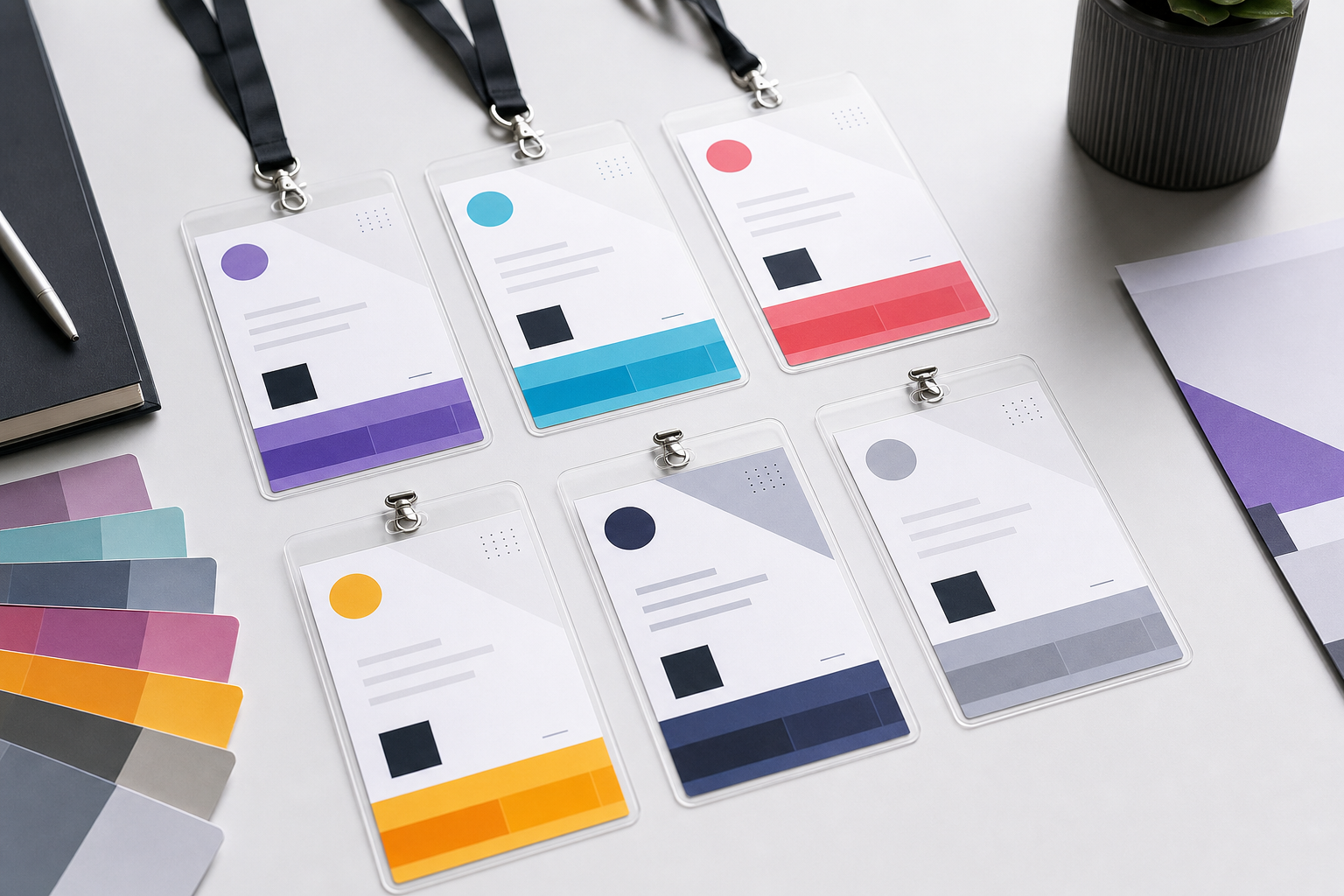
Badge ideas for roles and access categories
5. Speaker badge with a prominent role band
Best for: conferences where attendees need to find speakers quickly. Put SPEAKER in a distinct band, but keep the person's name larger. Add session or track only when it serves an operational purpose.
Avoid: shrinking the name to make room for a talk abstract.
6. High-visibility staff badge
Best for: registration teams, floor staff, and organizers. Use a strongly contrasting STAFF or ORGANIZER label and include the team or responsibility if it helps attendees find assistance.
Avoid: treating the printed role as proof of authorization; use proper staff processes and access controls.
7. VIP badge with restrained differentiation
Best for: hosted guests and defined access tiers. Add a clear VIP label or premium accent without making the badge look unrelated to the event system.
Avoid: encoding sensitive access permissions in obvious visual details.
8. Exhibitor badge with booth number
Best for: trade shows. Make the exhibitor's name and company easy to scan, then add an EXHIBITOR label and booth number. A 4×6 or A6 format is useful when a code or sponsor zone is also required.
Avoid: letting the booth number compete with the attendee name.
9. Volunteer or team badge
Best for: festivals, charity events, and community programs. Include the volunteer's name, team, shift area, or responsibility only when staff need it visibly.
Avoid: printing private schedules, contact details, or security notes.
For a complete system covering attendees, speakers, staff, exhibitors, and VIPs, use the conference badge templates by attendee type.
Data-rich badge design ideas
10. Name, company, and job-title badge
Best for: B2B networking. Use name first, company second, and title third. Allow the title line to disappear cleanly when the spreadsheet field is empty.
Avoid: giving every field the same size and weight.
11. QR-code event badge
Best for: a defined check-in, session, or lead-retrieval workflow. Reserve a flat, high-contrast area with clear space around the code. Encode a stable identifier rather than unnecessary personal data, and test it with the real system.
Avoid: adding a decorative QR code that no system resolves. See QR codes on conference badges before production.
12. Photo identification badge
Best for: staff, volunteer, cohort, or accreditation settings where visual recognition helps. Use a consistent photo crop and keep the name large enough to work without studying the image.
Avoid: treating a printed photo alone as secure identity verification.
13. Multi-day credential
Best for: conferences with date-specific or track-specific information. Use a larger 4×6 or A6 layout with a dedicated operational zone, while keeping the attendee identity stable across days.
Avoid: filling the badge with a complete schedule that becomes unreadable.
Ideas by event format
14. Compact 4×3 or A7 badge
Best for: name, company, and one short role. Use landscape orientation when the company name is long; use portrait when a role band or compact code fits naturally.
Avoid: forcing sponsor logos, QR code, title, track, and access details into the compact area.
15. Full 4×6 or A6 conference pass
Best for: conferences, expos, and multi-field credentials. Divide the pass into clear identity, role, code, and branding zones.
Avoid: using the extra space as a reason to add unnecessary information.
16. Adhesive workshop name tag
Best for: short workshops and training sessions. A large preferred name, organization, and group number are often enough. Use clothing-safe stock intended for the printer type.
Avoid: strong adhesives on delicate fabrics.
17. Company offsite badge
Best for: internal retreats and cross-team gatherings. Include preferred name, department or location, and a restrained company identity. Create facilitator or organizer variants from the same system.
Avoid: making an internal badge look like a permanent employee ID if it is only for the event.
18. Conversation-starter badge
Best for: networking events and community gatherings. Add one short, voluntarily supplied prompt such as an interest, topic, or “Ask me about” field beneath the person's core identity.
Avoid: long free-text responses or sensitive personal prompts.
How to choose between the ideas
| Question | If yes | Design response |
|---|---|---|
| Must people read names across a crowded room? | Networking, meetups | Use the large-first-name or minimalist idea. |
| Are there several attendee roles? | Conference, expo | Use a shared system with text-and-color role bands. |
| Is a code operationally required? | Scanning workflow exists | Choose a larger format with a dedicated code area. |
| Do holders already exist? | Stock has been purchased | Design to the insert and visible window first. |
| Will data vary widely? | Long names/titles, missing fields | Use a resilient layout and test edge cases. |
Turn one design into a consistent badge system
Use one master grid, typography scale, logo position, and spacing system. Change only the role label, accent color, and fields that are genuinely required. This makes staff, speaker, exhibitor, and attendee badges distinct without making them look like separate events.
Before approving a concept, follow the detailed conference badge design rules: inspect long names, empty fields, contrast, holder seams, safe areas, and actual print size. You can also browse printable name tag templates before building the selected direction.
Create your badge design with real attendee data
Choose a starting template, customize the hierarchy, and preview personalized badges before producing the PDF.
Frequently asked questions
What information should a professional name badge include?
Usually the attendee name, organization, and optionally a short role or attendee type. Add codes, photos, or access information only when they support a defined event process.
Which badge style is best for networking?
A simple badge with a very large preferred name, followed by company and one contextual field, usually works best.
How can role badges look different but consistent?
Keep the same grid, typography, logo placement, and core colors; vary a printed role label and accent band.
Should a conference badge use a photo?
Use a photo when visual identification adds operational value. Skip it when the space would be better used for a readable name.
Where should the event logo go?
A consistent header, footer, corner, or side zone works well. Keep it visible but secondary to the attendee identity.
What size works for a QR code and several fields?
A 4×6 or A6 layout is a practical starting point, but the correct size depends on the holder, code density, printer, scanner, and amount of content.